At some point, every team gets the same awkward request: If we have to, can we move this workload? Maybe it's because costs went up, a region is missing, or the contract has changed. This is where vendor lock-in stops being a theory and turns into a calendar problem.
One recent data point makes this feel less hypothetical. Flexera’s State of the Cloud 2025 report highlights a rise in workload repatriation and targeted moves back to private or on-prem servers, mostly driven by cost, control, and compliance concerns.
It’s not only about servers. Take Epic Games v. Apple. The Fortnite team found themselves trapped: they objected to App Store fees but couldn’t technically move to another platform without losing access to iOS users. They ended up waging a years-long legal battle just to loosen the platform’s grip. The same thing happens in the cloud: if you're tightly tied to a provider's proprietary services, a price hike won’t let you simply “move out” — you’ll be forced to pay.
Don't take this as a call to abandon the cloud. Tight ties to a single provider (vendor lock-in) leave you exposed. So, build portability into your architecture now, while the cost of change is still low.
What Is Vendor Lock-In and Why It’s Not Just a Cloud Problem
Let’s answer the question plainly: what is vendor lock-in? It’s when your software, data, and day-to-day operations become so tied to one provider that leaving would mean significant rework, long downtime, or both. Vendor lock-in shows up on the invoice, but it also appears during incidents. When a platform is the only place your system can realistically run, your options get narrow fast.
People also search for what vendor lock is in cloud computing because cloud platforms make it easy to stack managed services. Each service saves time, but each one comes with its own assumptions, APIs, and configuration style. The more provider-specific features you rely on, the more your architecture starts to mirror that vendor’s product catalog. Over time, that’s how vendor lock-in becomes part of the system’s foundation.
But vendor lock-in exists outside the cloud, too. It can come from a proprietary hypervisor, a closed-source storage appliance, a monitoring suite that owns your dashboards, or a CI system that locks you into a single runner model. The pattern is always the same. You invest in a tool’s special language, and later you pay a switching bill to translate everything.
Lock-in can be a reasonable trade when it saves time and reduces operational load. Risk appears when the dependency is invisible. If nobody can clearly list what you rely on, you can’t plan a cloud exit strategy. That’s when cloud migration risks are discovered at the worst possible moment.
A helpful model is the switching bill. You pay a monthly bill to run today, and you also build a bill for leaving tomorrow. Vendor lock-in grows when that second bill rises faster than your ability to pay it.
VPS for your project
More power, less cost. VPS with NVMe speed, 40+ locations, managed or unmanaged — your choice.
Where Vendor Lock-In Usually Hides
Use this checklist as a short review. Keep in mind that one red flag is not a disaster, but several red flags in core systems usually mean real cloud migration risks:
- Data export is slow, partial, or available only through a vendor tool.
- Identity rules are written in a provider-only policy language and spread across many services.
- Business logic is glued together with a vendor-specific event system or workflow engine.
- Deployments assume one platform’s load balancers, secret stores, or service discovery.
- Observability relies on platform-only metrics that you can’t reproduce elsewhere.
- Networking rules live in the console and are not tracked as code.
- Disaster recovery is tested only within the same provider.
If you recognize these patterns, the solution is not simply replacing one tool with another. A cloud infrastructure that can back up your exit strategy will be necessary, and you will have to gradually remove the most risky dependencies first.
Principles for Building Portable Infrastructure
Try to make sure your IT infrastructure can be easily moved around by focusing on the basics — the databases that store your data and the services that verify users.
Design for Portability
Start with a simple question: if you had to run this service somewhere else next quarter, what would break first? Write the answer down. That answer becomes your portability contract.
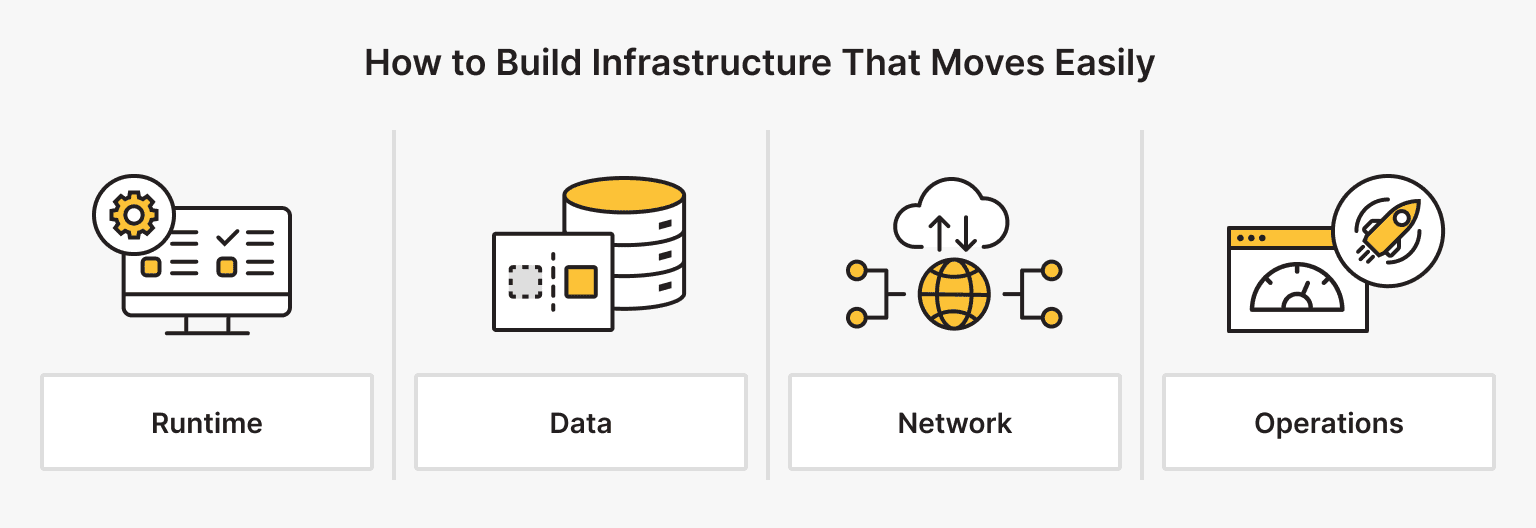
A portability checklist boils down to four areas:
- Runtime. Image name, CPU and RAM limits, required OS, and target hosts (containers, dedicated servers).
- Data. The backup routine, restore drill, export format, and the time period for which data will be stored.
- Network. Open ports, outbound calls, TLS, or other encryption details.
- Operations. Health probes, log paths, key metrics, and alert rules.
This is the point at which cloud portability can be tested. You can validate the contract by running the workload outside the primary environment, even in a small staging setup. If this is done frequently, it will reveal vendor lock-in at an early stage.
Abstract Vendor-Specific Functionality
Most vendor lock-in comes from a handful of “special” services, managed databases, proprietary queues, hosted identity, and platform-only secret management. You can still use them, but put a clear boundary around them.
Treat each vendor-specific feature as an internal module with an interface:
- Define a small internal API that matches your business needs.
- Implement it with the current provider.
- Keep a second, alternative implementation that runs locally or on a different service. It doesn’t need feature parity — it only needs to cover the key paths you’ll test.
Run the alternative implementation every so often. Actually performing the switch uncovers gaps you didn’t know were there and leaves you with a playbook you can run — a real cloud exit strategy, not a slide on a deck.
Be blunt about deep coupling. Things like database extensions, proprietary replication, and platform-only streaming features are common traps. Put each dependency in writing as a constraint, then ask a simple question: what short-term benefit are we getting, and what long-term cost are we accepting?
Use Multi-Cloud and Hybrid Patterns
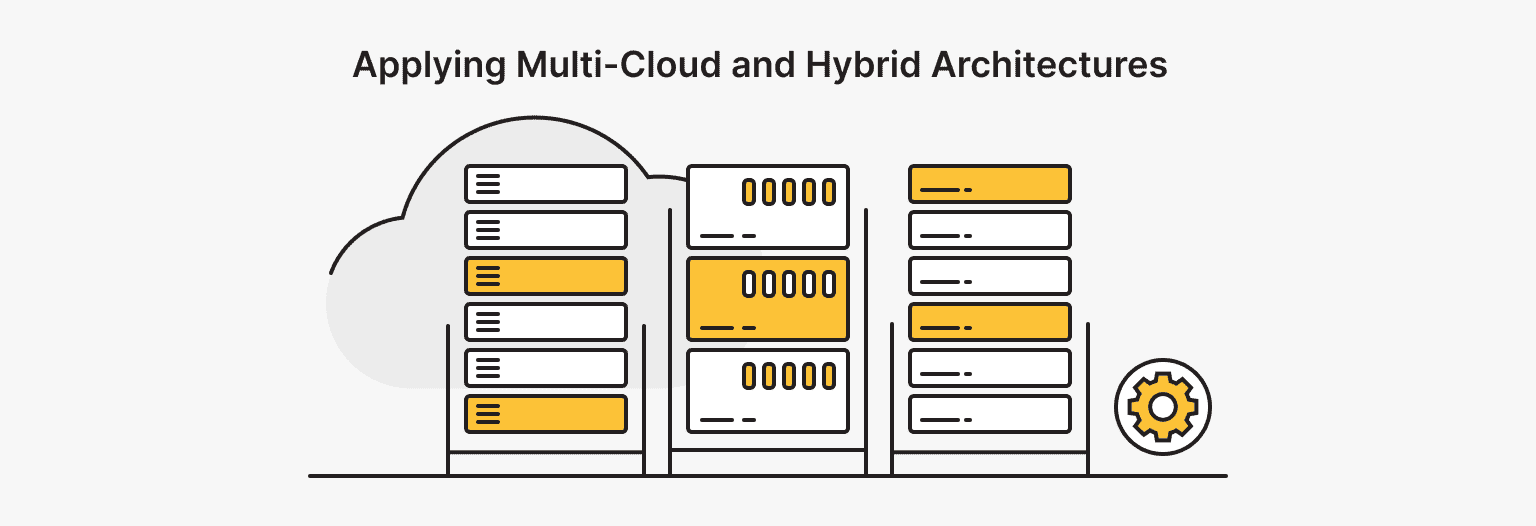
Multi-cloud is a tool, not a badge. Use it when it lowers business risk, not when it multiplies operational load.
A hybrid cloud architecture is a common step that teams can maintain. Keep baseline workloads or sensitive data in one environment (on-prem or with a VPS provider), and run burst capacity or less sensitive components elsewhere. Another hybrid cloud architecture pattern is running the same platform layer across locations, so workloads behave similarly.
This is where cloud-agnostic architecture helps. When your platform layer is built on standard building blocks, workloads can move without rewriting the entire stack. Cloud-agnostic architecture doesn’t eliminate effort, but it prevents “console-only” operations that lock you in through the process.
At the same time, be honest about cloud migration risks in multi-provider designs. Identity, networking, and observability become harder. If you don’t invest in these areas, you’ll increase risk instead of reducing it.
Prefer Open Standards and Open Source
Choose widely supported tools and formats. Prefer Open standards — for example, stick to PostgreSQL-style databases, S3-compatible object storage, OpenID Connect for authentication, and plain TLS termination.
Use open source where it helps. Being able to run a component yourself means you won’t be left scrambling if a vendor changes direction. That matters most for databases, message brokers, and core networking components.
Pay attention to data formats. If logs, events, and analytics are saved in JSON Lines, CSV, or Parquet, moving data is an engineering task. If exports require proprietary tools, vendor lock-in can lead to a slow and expensive data problem.
Many people also ask what vendor lock-in cloud computing is, and immediately think of compute instances. In practice, identity systems and data formats are often what trap you.
Modularize and Decouple
When components are separated, you can move them one by one. However, when everything is mixed, any move becomes a gamble.
Realistic and close-to-the-ground steps include:
- Separate stateless and stateful components and plan different migration paths for each.
- Use queues or event streams to decouple services, but avoid provider-only glue.
- Keep configuration in code and inject environment values during deployment.
- Standardize deployment units, such as containers with consistent health checks.
- Keep vendor-specific networking assumptions out of application logic.
Now link this to a cloud exit strategy. A cloud exit strategy should be a set of tested procedures: backups that restore, exports that complete fully, and a runbook anyone can follow. This is the most straightforward way to reduce cloud dependency while maintaining stability.
Dedicated server
Dedicated hosting for those who need more power, control, and stability.
Want to try a lab for your first exit drill? Spin up a Start or Medium VPS in a second region, restore backups, and run health checks. If it fails, repeat the process. If it succeeds, schedule the next drill.
Conclusion
Vendor lock-in is not an option teams choose intentionally, in most cases. It just sneaks in: a quick shortcut, a useful managed service, an undocumented console change. You can undo it the same way — with doable, regular work.
Try this sequence:
- First, select one critical component to work on — either the database, identity layer, or delivery pipeline.
- Document one page that covers its operation, data export, and recovery. Use real data.
- Isolate vendor-specific bits behind a small adapter or interface so the rest of the system doesn’t know the provider.
- Do a single drill in a lab or staging environment: follow the page, restore data, and note what failed.
- Repeat this every few months. Small, real rehearsals beat one big, frantic migration.
And no, it's not a glamorous job, but it changes the conversation when you need options. Pricing talks feel different, incidents feel less serious, and migrations stop being scary. If you keep doing this, you'll end up with portable infrastructure. This means that the infrastructure is stable day to day and can be moved when the business needs to change.
Bare Metal
No virtualization, no sharing — just raw, dedicated performance. Perfect for demanding workloads and custom setups.
From $66.67/mo
![How to Deploy and Run Docker Containers Efficiently [Guide]](https://blog.ishosting.com/hubfs/blog/docker-container-deployment/docker-container-deployment%20.png)