When you had 5 people, one ChatGPT account worked fine. Now you have 22 — marketing uses one AI tool, sales another, support a third, nobody knows what anyone else is doing. Your AI spend tripled, but productivity didn’t.
If any of that sounds familiar, you need an AI implementation strategy that grows along with your team. Because figuring out how to implement AI in business is a very different job at 22 people than it was at 5. It’s the AI strategy question most business leaders run into right around this size.
Take one marketing agency in Boston. They were running 28 separate ChatGPT accounts, paying $840 a month for them, and their office manager burned about 3 hours every week just sorting out who had access to what. Wasteful? Very. But hang on to that thought, because their story comes back at the end.
The core idea is simple: scaling AI is not about buying more subscriptions. Every stage of growth needs a different setup underneath it. So this article lays out a simple 3-stage framework: what to build now, and what to build next.
The three stages of AI growth, and why each needs different infrastructure
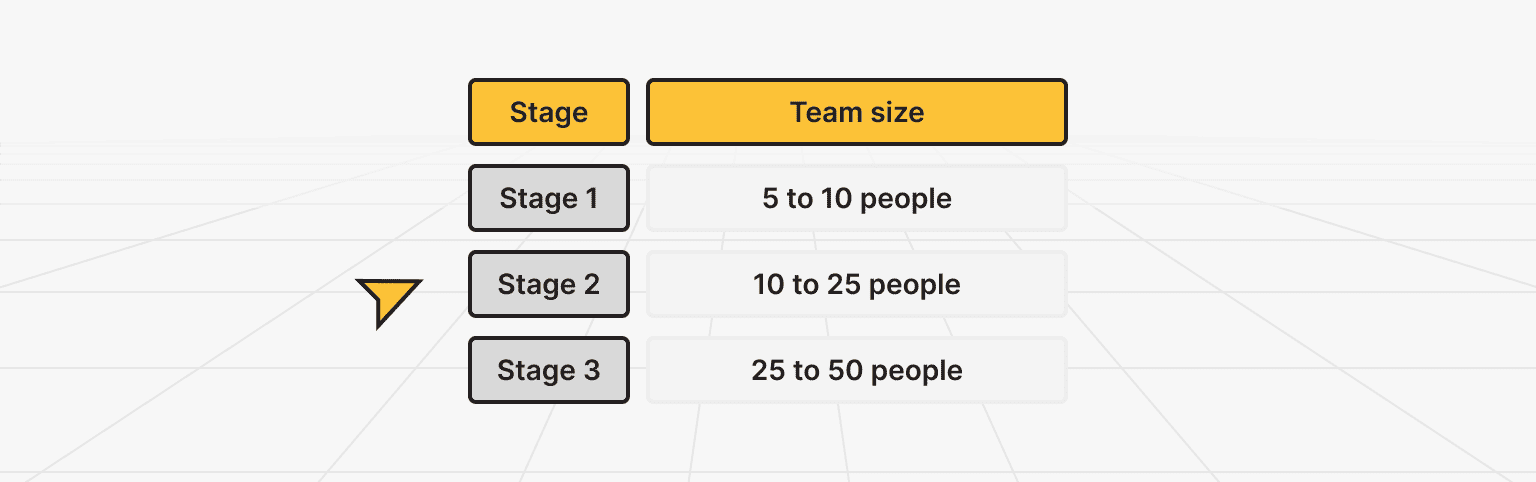
An AI implementation strategy for a growing team is a plan that matches your AI setup to your team’s size, not a shopping list of tools. There are three stages: 5 to 10 people, 10 to 25 people, and 25 to 50 people.
Each one runs into a different wall, first cost, then confusion, then compliance, and each wall needs a different fix under the hood.
McKinsey’s State of AI survey found that 88% of organizations now use AI in at least one function, yet just 7% have fully scaled it. McKinsey’s 2026 AI Trust Maturity Survey adds that only about a third have matured their AI strategy and governance to match. So if your setup feels messier than it should, you’re in good company, and there’s a clear way through. That way through is the heart of how to implement AI in business as you grow, and it starts with treating AI implementation as an infrastructure decision.
Here’s the framework at a glance:
|
Stage |
Team size |
What it feels like |
What you actually need |
|
Stage 1 |
5 to 10 people |
Everyone tries their own thing |
Cloud subscriptions plus a shared prompt library in a Google Doc |
|
Stage 2 |
10 to 25 people |
Tool sprawl, department by department |
A VPS running Ollama and Open WebUI ($100 to $200/mo) |
|
Stage 3 |
25 to 50 people |
Heavy load plus compliance questions |
A dedicated server, RAG, and role-based access ($200 to $400/mo) |
Those three walls differ from each other in a basic way:
- Money: a handful of paid accounts is cheap, so cost barely registers early on.
- Order: once several departments each pick their own tools, nobody can see the whole picture, and that’s a people problem, not a pricing one.
- Trust: when you’re handling real customer or employee data at scale, the question becomes who is allowed to touch it and where it lives.
A tool that solves one of those walls often does nothing for the next, which is exactly why you can’t buy your way out with a single subscription.
The same pattern repeats in company after company. They keep running Stage 1 infrastructure, and Stage 1 AI systems, long after their team has grown into Stage 2 or Stage 3. The setup was perfect at 8 people. At 28, it turns into a daily headache. That Boston agency is a textbook case, a Stage 3-sized team still bolted onto Stage 1 infrastructure, paying for it in wasted hours.
A good AI strategy for small business plans for the next stage a little before you’re forced into it, not after. Handled this way, your AI business strategy is simple: know your stage, and build one step ahead of it.
Stage 1: AI for small teams (5 to 10 people)
If your team is between 5 and 10 people, keep it simple: paid cloud subscriptions plus one shared document of prompts that actually work. At this size your AI implementation should stay lightweight: you do not need servers or clever setups, and adding them would just slow you down.
A couple of ChatGPT Business seats (that’s the plan OpenAI used to call “Team,” now around $25 per person a month) and a shared Google Doc where people drop their best prompts will carry you a surprisingly long way. The whole point of Stage 1 is speed. Let people experiment and find what helps them. The real skill here is spotting when you’ve outgrown it, because that moment tends to sneak up on you.
Don’t overthink the shared prompt doc, either. It can be as plain as a Google Doc with a few headings, one section for marketing, one for sales, one for support, where anyone can paste a prompt that saved them time. Once a week, someone glances through it and tidies up the winners. That tiny habit does two things: it spreads good ideas across the team, and it gives every new hire a head start. You’ll be surprised how much of your early “AI strategy” is just people copying each other’s best prompts.
You’ll know it’s time to move on when you start seeing these signals:
|
Signal |
What it really means |
|
People are using 3+ different AI tools |
Natural fragmentation is starting, a sign you’re growing |
|
You keep hearing “the AI is slow” or “I’m out of tokens again” |
Your setup is being used enough to strain |
|
A new hire asks “which AI am I supposed to use?” |
You’ve grown past casual, word-of-mouth onboarding |
|
Your monthly AI bill passes $300 |
Per-seat pricing is stacking up, and a shared server starts to pay off |
Keep one thing in mind here: none of these are problems, exactly. They’re proof your team leans on AI enough for it to matter. When you notice two or three of them showing up at the same time, that’s your cue to move your AI strategy up to Stage 2.
Stage 2: standardizing AI for growing teams (10 to 25 people)
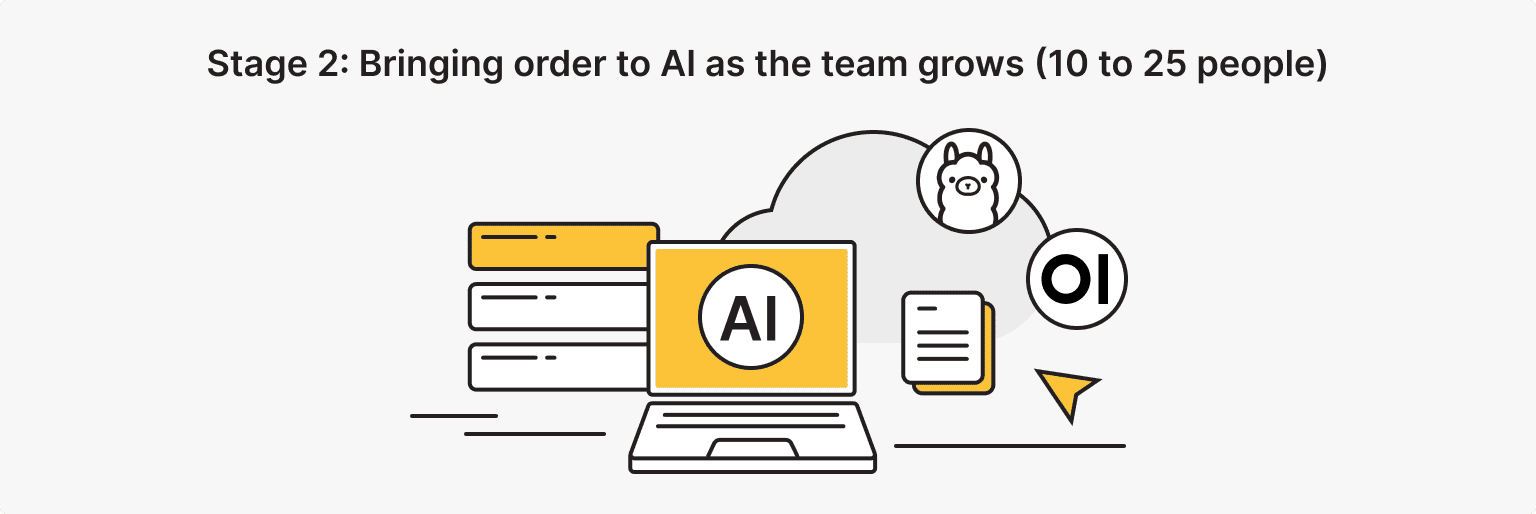
For a team of 10 to 25 people, the move is to stop everyone from buying their own tools and put AI on one shared server that the whole company uses. This is where centralized AI infrastructure starts to earn its keep, and where a real AI strategy replaces a pile of separate logins.
Instead of paying per person for a dozen scattered subscriptions, you run a single server, usually a VPS with Ollama and Open WebUI installed on it, and everyone logs into the same place. The typical AI infrastructure cost for this sits around $100 to $200 a month, and it stays flat no matter how many people you add. Line that up against per-seat pricing that climbs with every new hire, and the math tips in your favor fast.
What does the switch actually buy you? A few things that make daily life easier:
- One login for everyone, instead of a dozen separate accounts to track
- Shared prompts and company knowledge in one spot, so people stop reinventing the wheel
- A single predictable bill, instead of surprise charges landing on random credit cards
- New hires who are productive on day one, because there’s only one tool to learn
If the words “run a server” make you nervous, take a breath, because it’s less technical than it sounds. Think of Ollama as the engine that runs the AI model on your own machine, and Open WebUI as the friendly chat screen your team actually sees, which looks a lot like ChatGPT. You (or whoever handles your tech) install both on a VPS once. From then on, your AI systems live in one place, and people just open a web page and start typing.
Take a 16-person team in Denver. Their operations director — a former teacher turned startup COO — made the switch after calculating they were paying $280/month for “individual tool sprawl”:
- Saved $280/mo.
- Onboarding dropped from 2 weeks to 1 day.
- New people stopped guessing which tool to open, because there was only one, and it already knew how the company worked.
That’s the payoff of standardizing: the AI infrastructure cost drops and the day-to-day friction disappears at the same time. And notice she didn’t need a computer science degree to pull this off. She needed a spreadsheet and a reason.
VPS
Stage 2 runs on one box: a VPS with Ollama and Open WebUI, one login for the whole team, a flat $100–200/mo instead of per-seat sprawl. Start small and size up when the signals say so.
Stage 3: scaling AI for larger teams (25 to 50 people)
By now, AI implementation is a company-wide concern. Once you’re between 25 and 50 people, you need three things: a dedicated server, a way for AI to read your own company documents (that’s called RAG), and access rules that change depending on the department.
At this size, you’ve usually got 15 or more people hitting AI at the very same moment, so shared VPS resources start to feel tight. A dedicated server handles that load, and this is also where AI workload management starts to matter, keeping answers fast even when the whole company is prompting at once.
Here’s what a Stage 3 setup looks like piece by piece:
|
Component |
What it does |
Cost or note |
|
Dedicated server |
Handles 15+ people using AI at the same time |
$200 to $400/mo |
|
RAG system |
Lets AI answer from your own company knowledge base |
Set up once |
|
Role-based access |
Different permissions for different departments |
Built into Open WebUI |
|
Audit logs |
Track who did what, to support HIPAA, SOC 2, and GDPR needs |
Runs on your own server |
A couple of those pieces deserve a plain-English explanation, because they’re what really separates Stage 3 from Stage 2.
RAG is the feature that lets the AI read your own company’s documents before it answers, so instead of generic replies, it can pull from your actual handbook, past projects, or product docs. Set it up once, point it at your files, and suddenly the AI “knows” your business. It’s one of the highest-leverage parts of any AI implementation.
Role-based access is exactly what it sounds like: your sales team sees sales tools, HR sees HR tools, and an intern doesn’t accidentally stumble into payroll data. Open WebUI has this built in, so you’re switching a setting, not building software from scratch.
So when does compliance stop being optional? Usually it arrives as a conversation. Your legal or HR team starts asking where your data goes — that’s when compliance stops being abstract. Standards like HIPAA, SOC 2, and GDPR all care about where information lives and who’s allowed to see it, and how your AI systems handle it. Running AI on your own server, instead of piping company data through a dozen outside tools, makes those questions a whole lot easier to answer. It won’t hand you a certificate on its own, that part is still your organization’s job, but it does put you in a much stronger position to get there.
Dedicated Server
When 15+ people prompt at once, a shared VPS gets tight. A dedicated server carries the load, keeps answers fast, and keeps company data on hardware you control — the base for RAG, role-based access, and audit logs.
The infrastructure that scales without starting over
The good news: you can build AI infrastructure that grows with you without rebuilding from scratch every time your team gets bigger.
The trick is to keep the same core tools, Ollama and Open WebUI, and simply change the machine underneath them as your needs grow. The tools stay the same. The plan changes. That’s it. The idea is that you upgrade the hardware, never the whole AI implementation. You move from a small VPS to a bigger one, then to a dedicated server, and your people barely notice a thing. Same login, same prompts, more horsepower. That’s how you scale AI tools for growing team setups without a painful reset every year, which is what how to implement AI in business comes down to once you’re past the early days.
This works so smoothly for one simple reason: the thing you’re changing is the hardware, not the experience. Your prompts, your shared knowledge, your user accounts, and the AI systems behind them all work in Open WebUI, and they come along for the ride. Upgrading is closer to moving into a bigger office than to demolishing the building and starting over. Same furniture, same people, more room. In practice, a good host copies your setup to the stronger machine, checks that everything works, and flips the switch, often outside working hours so nobody even sees a hiccup.
There’s a technical side to this, too. When 15, 20, or 30 people are all prompting at once, the server has to scale AI workload smoothly, because nobody wants to sit and wait in line for an answer. Good AI workload management just means making sure the machine matches the demand at each stage, no more and no less. Under-buy and people wait. Over-buy and you’re paying for power you don’t touch. The stage framework keeps you in the sweet spot: you size up only when the signals tell you to.
Consider one example. A 30-person fintech team in Chicago reached 28 people using AI at once, and their VPS Starter plan couldn’t keep up, so they moved to a dedicated server. The migration took four hours, with no downtime and no rebuild. The next morning everyone signed in to the same setup, only faster. Plan your AI roadmap for business around infrastructure that grows one size at a time, and an upgrade feels like an ordinary Tuesday, not a fire drill.
So here’s the cost picture, laid out stage by stage:
|
Stage |
Team |
Setup |
Monthly cost |
Compared to per-seat |
|
Stage 1 |
5 to 10 |
Cloud subscriptions |
$50 to $150 |
About the same |
|
Stage 2 |
10 to 25 |
VPS plus Ollama |
$100 to $200 |
Save $100 to $400/mo |
|
Stage 3 |
25 to 50 |
Dedicated plus RAG |
$200 to $400 |
Save $350 to $1,100/mo |
Notice how the AI infrastructure cost barely moves even as your team doubles. That flat line is the whole point. When you reach that Stage 3 load, our dedicated server for team AI workloads plans are built for exactly this kind of demand.
From scattered tools to one shared server
Remember that Boston agency? Here’s how their story ends. The Boston agency paying $840/month for 28 ChatGPT accounts switched to a centralized server at $200/month. Six months later they’re at 35 people, same server, same cost, three new departments onboarded in a day each. They didn’t buy more subscriptions. They just changed the plan underneath.
You can do the same. Your team has probably reached Stage 2 while the infrastructure stayed behind, and catching up is closer to a day’s work than a big project.
Start by finding your stage in the framework above. Spin up a VPS, install Ollama and Open WebUI, and move everyone onto a single login with a shared prompt library. When your team outgrows that server, step up to a dedicated one, add RAG and role-based access, and keep the same tools your people already know.
No rebuild, no starting over, just the next size up when you’re ready for it. That way, your AI implementation strategy grows with the team, and the AI infrastructure cost stays under control the whole time. Your AI business strategy scales as smoothly as your AI implementation, and every AI strategy call gets easier because the foundation already fits.
If you want a hand picking the right box for your stage, our VPS and dedicated server plans are a good place to start.