TL;DR
- Dashboard layer: Metabase for fast, natural-language questions, or Apache Superset for heavier data engineering.
- Conversational layer: Wren AI for a semantic GenBI agent, or Vanna AI 2.0 for an MIT-licensed Python framework you embed yourself.
- Inference engine: Ollama, running Llama 3 or Mistral locally on the server.
- Document layer: Open WebUI for a chat frontend, or AnythingLLM for querying PDFs and reports.
All of it runs together on one VPS in Docker. A 16 GB plan handles the full stack; 8 GB covers dashboards plus a small model.
How We Ranked These AI Tools for Business Analyst Stacks

Every tool here follows four rules:
- It self-hosts, with no external data leakage. This is the privacy line.
- It does real AI: a semantic layer or structured context mapping, not a prompt bolted onto a chat window.
- It connects natively to your database, querying live tables instead of stale CSV uploads.
- It carries no per-seat license, so the cost stays flat as the team grows.
Most "25 best" roundups mix cloud chat wrappers with enterprise SaaS, which breaks the first time you can't legally send company data to a third party.
We checked each tool for native SQL support with Postgres and ClickHouse, its container footprint on a standard VPS, and whether it ships your schema off the box to function. If a tool sends your schema over the internet to work, it didn't make the list.
Self-hostability and genuine AI capability do most of the filtering; native database connectivity and flat pricing keep the stack usable as the team grows. Those are the dimensions that matter when evaluating AI for business analyst tooling against real infrastructure instead of a feature checklist.
Self-Hosted BI Platforms (the Dashboard Layer)
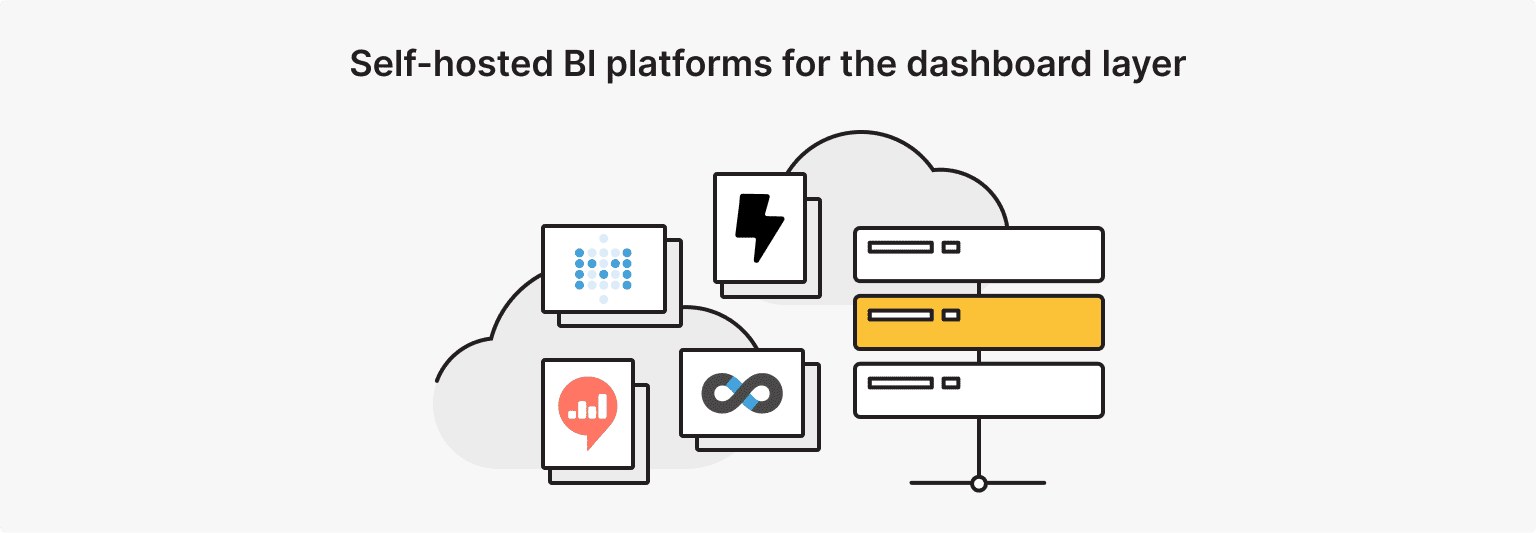
Open-source BI on a VPS gives you the same dashboards as cloud SaaS without sending records off your server. This used to mean desktop licenses and proprietary servers; now the visual layer is a web container running next to your database. Metabase and Superset both deploy as standard Docker containers, keep data on the box, and offer a visual query builder plus a SQL workspace. Pick by who's using it: Metabase for non-technical stakeholders, Superset for data engineers.
1. Metabase: the Lightweight Workhorse
Metabase is the fastest of these AI tools for business analyst teams to stand up. Its visual question builder lets non-technical users build joins, filters, and aggregations without writing SQL. Recent versions added natural-language asking: type "what was total revenue by region last quarter" and get a chart back.
It ships as a single Docker container written in Clojure and runs comfortably in 1 to 2 GB of RAM, which fits a small VPS. It connects to most production databases out of the box, including Postgres, MySQL, BigQuery, and ClickHouse, and it pairs the visual builder with a raw SQL editor for power users.
Dashboards can be scheduled, embedded in an internal app, or pushed to Slack and email on a timer. The open-source core is free; a paid tier adds permissions, embedding, and official support.
2. Apache Superset: Data Exploration at Scale
Where Metabase optimizes for speed, Superset is built for data engineers running layered reporting. It has a wider chart library, from time series to geospatial maps, and a full SQL IDE with multi-tab querying and schema browsing.
It runs on Python with Celery workers and a Redis cache, so it needs more setup, but it holds up well on large datasets. Superset started at Airbnb and is now a top-level Apache project, which is why it carries enterprise features like role-based access control and dashboard-level permissions. SQL Lab, its query workspace, supports Jinja templating and async execution through those Celery workers, and the Redis cache keeps heavy dashboards from re-running every query.
The learning curve is steeper than Metabase, but there's little limit to how far you can push it.
3. Lightdash: the dbt-Native Layer
Lightdash reads your existing dbt project straight from the repo. Your YAML files and dbt models become Lightdash tables and dimensions, so business logic stays defined in one place.
For an AI for business analyst workflow built on dbt, it keeps a single source of truth across the codebase. Because metrics live in your dbt YAML, every change goes through the same git review as the rest of your data code, so dashboards never drift from the warehouse definitions.
It connects to the usual warehouses — BigQuery, Snowflake, Redshift, Databricks, and Postgres — and exposes the dbt metrics layer as drag-and-drop fields. For teams that already treat dbt as the source of truth, there's almost nothing new to maintain.
4. Redash: Query-First Dashboards
Redash is for people who write SQL first and chart second. Its alerts integrate with webhooks, Slack, and email, firing when a metric crosses a threshold you set. It connects to more than 50 sources, from standard SQL databases to MongoDB, Elasticsearch, and REST APIs, so one instance can sit in front of a mixed backend.
Queries support parameters and scheduled refreshes, and results are cached so a shared dashboard doesn't hammer the database. It's the lightest option here for teams that are comfortable living in SQL.
Honorable Mentions
Helical Insight adds visual customization and embedding APIs for product teams. It's Java-based and almost entirely API-driven, which makes it a good fit when you need BI buried inside another product rather than used as a standalone app.
Grafana remains the default for real-time metrics and time-series logs. It pulls from Prometheus, InfluxDB, and Loki and is built around dashboards and alerting, so it overlaps more with monitoring than with business reporting.
Check both against whatever monitoring you already run before adding another tool.
Generative AI for Business Intelligence (Chat with Your Data)
Generative AI for business intelligence replaces hand-written SQL with plain-language questions. The old workflow has analysts translating every stakeholder request into a query and a chart by hand. Open-source agents change that: they map your schema locally, generate SQL, validate the syntax, and pick a visualization, all without exposing database credentials to an external API. The piece that makes this safe is a local semantic layer.
5. Wren AI: the Semantic GenBI Agent
Wren AI is a generative AI for business intelligence agent that connects your schema to a local model. You define table relationships, set aliases for cryptic column names, and standardize business metrics before any query runs.
It holds multi-turn context: ask "show me our top ten customers this month," then follow with "filter to Western Europe" without restating the first question.
6. Vanna AI 2.0: Text-to-SQL You Embed
Vanna is an MIT-licensed Python framework for teams that want to build their own assistant. It vectorizes your DDL, schema docs, and verified queries into a local index, then uses RAG to turn questions into SQL.
It runs with local models through Ollama, so developers can embed a text-to-SQL assistant directly into an internal app. For AI for business intelligence that stays on your hardware, this is the build-it-yourself option.
7. Dataline: Fast Chat with Your DB
Dataline needs almost no configuration. It reads your table connections and gives you a chat interface immediately, which makes it useful for prototyping, quick audits, or ad-hoc exploration where a full semantic map isn't worth the setup.
Schema Cleanliness
The accuracy of any text-to-SQL engine tracks how clean your database is. Undocumented columns, leftover duplicate tables, and inconsistent naming all push models toward wrong answers. Generative AI for business intelligence speeds up analysis, but it still needs analysts to maintain data dictionaries and a clear semantic map.
Local LLM Runtimes (the Engine Behind It All)

Behind every conversational dashboard in an AI for business analyst stack sits a runtime doing the model math. Running models locally on a VPS means picking a runtime that uses the hardware well and exposes an API your BI tools can call.
8. Ollama: the Default for Local Models
Ollama runs as a background Linux service that pulls, configures, and serves open models from simple terminal commands. It handles Llama, Qwen, and Mistral with weight quantization to reduce memory use, and it exposes a local HTTP endpoint that other containers on the VPS call directly.
For model choice, a quantized 8B model like Llama 3.1 8B or Qwen2.5 7B is the realistic default for text-to-SQL on CPU: small enough to fit on a 16 GB box with room for the database, and accurate enough for everyday queries. Larger 70B models answer better but need a GPU to stay responsive, which is a different budget and a different server.
9. Open WebUI: a ChatGPT-Style Front End
Open WebUI puts a familiar chat interface in a web container: chat history, model settings, and parameters from the browser. It includes multi-user management and authentication, so analysts can test their own system prompts without sharing a single login.
10. LocalAI: an OpenAI-Compatible API
LocalAI exposes an OpenAI-compatible API in front of open models. Software written for GPT-4 points at your server by changing one URL — no rewrite needed.
11. AnythingLLM: RAG over Your Documents
AnythingLLM targets unstructured text: PDF reports, whitepapers, contracts, and quarterly transcripts. It handles document splitting, chunking, and embeddings locally, so you can query a pile of reports without sending any of them outside.
Cloud AI Assistants Worth Keeping Around (Comparison)
Cloud models still win at heavy reasoning, and a single VPS won't match a multi-GPU cluster for that. ChatGPT, Claude, and Gemini are faster to set up and stronger on open-ended analysis. The trade-off is data exposure: pasting ledgers or raw schemas into a public tool runs into GDPR and SOC 2 problems because of retention policies you don't control.
The practical split is to use cloud assistants for boilerplate code and high-level brainstorming, and keep the actual tables on hardware you own. Done that way, AI for business analytics stays private while you still get cloud-level reasoning where it doesn't touch sensitive data. Secure AI for business intelligence means the database never leaves your server.
|
Dimension |
Cloud assistants (ChatGPT, Claude, Gemini) |
Self-hosted stack (VPS) |
|
Strength |
Strong reasoning, instant setup, no infrastructure to run |
Data stays on your box, fixed monthly cost |
|
Weakness |
Corporate data exposure, variable bills |
Hardware limits, slower token generation |
|
Billing |
Per-seat or usage-based API charges |
Flat monthly server price |
|
Best for |
Brainstorming, learning syntax, generic tasks |
Running AI for business analytics on live internal tables |
What This Stack Needs: VPS Specs and Real Cost
Size the server in two layers: a light dashboard layer and a heavier inference layer. Dashboards like Metabase and Superset run on about 2 vCPU and 4 GB of RAM, handling web traffic, caching, and reverse proxying without strain. The local model is the part that needs real memory: an 8B model wants 8 to 16 GB of RAM, and on a CPU-only VPS, you should expect single-digit tokens per second, which is fine for generating SQL in bursts but not for fast real-time chat. Ubuntu 24.04 LTS with Docker is the standard base.
One detail matters more than the raw numbers. Local inference falls over if RAM runs out, and it stalls if a noisy neighbor steals CPU.
is*hosting VPS plans use KVM with dedicated resources rather than oversold shares, NVMe storage on every tier, and a 1 Gbps port, which is what keeps an inference process from getting starved mid-query.
All plans include root and SSH access, free weekly backups, and provisioning in 5–15 minutes. If you need EU data residency for GDPR, the footprint covers 40+ countries.
|
is*hosting Plan |
Specs |
Best for |
|
Premium ($39.99/mo) |
4 vCPU, 8 GB RAM, 50 GB NVMe, unmetered bandwidth |
Dashboards plus a small quantized model for occasional query help. Fits a small team running core reports. |
|
Elite ($59.99/mo) |
6 vCPU, 16 GB RAM, 80 GB NVMe, unmetered bandwidth |
A full GenBI stack: Metabase, Wren AI, and Ollama with an 8B model. The practical sweet spot for most teams. |
|
Exclusive ($89.99/mo) |
8 vCPU, 32 GB RAM, 100 GB NVMe, unmetered bandwidth |
Heavier work: Superset, AnythingLLM document RAG, and several concurrent users. |
Annual billing drops these further; Elite is $47.99/mo on a 12-month term.
If you need GPU-speed inference rather than CPU, that lives on is*hosting's dedicated servers, not the VPS line.
Dedicated Server
Need GPU-speed inference for 70B models? Bare-metal servers with dedicated hardware handle the heavy model math a CPU-only VPS can't.
For an AI for business analyst team weighing the switch, the math favors the server as the seat count grows. A 50-seat Tableau deployment runs roughly $17,500 a year in licenses on Tableau's own tiers (Creator $75, Explorer $42, Viewer $15 per user per month). Power BI's enterprise capacity tier starts around $5,000 a month. An Elite VPS at $59.99 a month is the whole infrastructure bill; you trade managed convenience for running it yourself. How much you save depends entirely on how many seats you're replacing: a five-person team sees modest savings, while a large seat count or an enterprise capacity contract clears 90% and up.
A worked example makes the gap concrete. Put a ten-person analytics team on Tableau: two Creators at $75, three Explorers at $42, and five Viewers at $15 comes to $351 a month, before Tableau Cloud hosting or the data-engineering hours needed to keep dashboards running. The same team on a self-hosted stack pays for one Elite VPS at $59.99 and shares logins across the open-source tools, which carry no seat cost. The gap widens every time you add a viewer because, on the server side, another reader is effectively free.
VPS
Run your entire BI stack — dashboards, GenBI agents, and a local model — on one server with dedicated KVM resources and full root access.
From Zero to a Working Stack in a Weekend
A private, containerized AI analytics platform fits into a weekend on a standard VPS. Standardizing on Docker Compose isolates each layer and handles networking between containers, which avoids the library-version fights that come with installing everything by hand.
- Provision and secure the server. Deploy a clean Ubuntu 24.04 LTS instance, log in over SSH, run updates, and set UFW to allow only ports 22, 80, and 443.
- Point DNS. In your registrar's DNS panel, add an A record for your subdomain pointing to the server's public IP.
- Install Docker. Run the official Docker install, add Docker Compose, and enable the service to start on reboot.
- Write the compose file. In your project directory, create a docker-compose.yml defining the database network, the dashboard container, the model runtime, and an SSL reverse proxy (Nginx or Caddy).
- Launch and connect. Run docker compose up -d, open your subdomain, finish the setup wizard, and add your production database credentials.
A minimal compose file for the dashboard-plus-model core looks like this:
services:
  postgres:
    image: postgres:16
    environment:
      POSTGRES_PASSWORD: change_me
    volumes:
      - pgdata:/var/lib/postgresql/data
  metabase:
    image: metabase/metabase:latest
    ports:
      - "3000:3000"
    depends_on:
      - postgres
  ollama:
    image: ollama/ollama:latest
    volumes:
      - ollama:/root/.ollama
volumes:
  pgdata:
  ollama:
Add the reverse proxy and Wren AI as separate services once the core is up, and keep secrets in a .env file rather than in the compose file itself.
That's a working AI tools for business analyst environment, self-hosted end-to-end.
Final Thoughts
Self-hosting open-source tools on a server you control is the way to run modern analytics without watching a per-seat bill climb every quarter. Cloud BI vendors keep adding seat tiers and query caps; a VPS swaps that for a fixed monthly line item and full control over where the data sits. Match the plan to your scale: 8 GB for dashboards and light AI, 16 GB for a full GenBI stack, 32 GB for heavy document work and multiple users.
Self-hosting moves one thing onto your plate that SaaS used to handle: uptime. If the server goes down at 2 AM, no vendor is paging an on-call engineer for you. That's the real trade for the lower bill and the data control. Weekly backups and monitoring cover most of it, and one well-specced server is far simpler to keep alive than a multi-cloud setup, but it's your server to watch.
If you're ready to size it, the NVMe-backed plans on the is*hosting VPS page list the RAM tiers above, and the knowledge base has the Docker-on-VPS setup if you want to start there. Either way, the best AI tools for business analyst work are the ones running on infrastructure you actually own.