Here’s a small (and deserved) ode.
VPS gives you isolated resources and dedicated-server-like control without the capex and operational overhead of owning hardware. With NVMe becoming the default, global data center footprints expanding, and container workflows feeling native on a clean Linux box, it’s easy to see why teams keep choosing VPS.
If you’re scanning for the most common VPS applications businesses are prioritizing this year, start here — and keep an eye on VPS hosting trends that are pushing performance and latency closer to what users expect.
VPS won’t win every scenario. We’ll call out the trade-offs and the moments when cloud is still the better move. But for steady workloads and teams that value control, the ROI can be very real, especially when you’re choosing business VPS solutions for projects that need to stay stable as you grow.
Where VPS Pays Off in Real Business

If you find your work below (or have thought about starting it), consider VPS as an investment in stability and growth. These are not VPS use cases where you earn passive income, but rather projects that generate value through active work.
AI and Smaller Models
A common pattern in 2026 is hybrid AI/ML: keep datasets and heavy training on-prem (or on rented dedicated GPU machines), and push inference or surrounding services to VPS. That’s where VPS for AI becomes interesting: not as a replacement for high-end clusters, but as a controllable layer for lightweight inference, routing, caching, model gateways, and the glue around LLM features.
If you do need accelerators without building your own rack, GPU VPS hosting can make sense for short bursts, dev, test, or very targeted inference.
The key is to isolate what truly needs a GPU and move everything else into a predictable, simpler infrastructure.
A Clean Home for CI/CD and Internal Tooling
Repos, test environments, CI/CD pipelines, private docs — VPS is a straightforward place to run the shared tools a distributed team depends on. You get root access, you can install exactly what you need, and it pairs naturally with Docker and orchestration.
It’s also a clean way to separate VPS server workloads so your build or test systems don’t collide with production traffic.
A Staging Layer Next to Production
VPS works well as a dedicated staging or dev layer sitting beside a more expensive production platform. For example, staging can be on VPS, while production runs on bare metal.
Game studios often use VPS-based staging clusters (with tools like Pterodactyl or AMP), take snapshots before patches, test changes safely, and keep player-facing services untouched when something breaks.
SaaS Backends and API Services
When traffic grows, you can usually scale CPU, RAM, storage, and IPs quickly without migrating the entire system, which is useful for API services under an SLA. Modern stacks fit well here: providers support Kubernetes, microservices spin up fast, and you retain the isolation and control.
This also speaks to budgeting. For always-on APIs, a predictable monthly cost is often easier to defend than a metered bill, especially for VPS for SaaS teams that already track reliability and burn rate tightly, and for VPS for startups that can’t afford surprise spending during a growth sprint.
Data Processing and Low-Latency Apps
VPS can act as a worker pool for ETL, queues, schedulers, and batch jobs. Add compute during peaks, and scale down when the peak is gone.
If your data already lives in cloud storage, it’s worth doing the math: sometimes running a few VPS instances closer to your data sources (or using VPS for aggregation and archives) is cheaper than keeping everything fully managed.
Edge-ish architectures also benefit: place a couple of VPS nodes near sensors or points of presence for real-time pre-processing, then send summarized streams to a central cloud for deeper analytics. This creates a hybrid that cuts bandwidth load and keeps partial autonomy during network hiccups. You can move your VPS infrastructure closer to users to ensure minimal latency for IoT and real-time scenarios.
And latency is business-visible: even one extra second of load time can drop conversions. Dedicated resources and lower noisy-neighbor risk often translate into tangible results.
Self-Hosted Platforms
When you need to run your own internal system, website, email system, or monitoring stack, VPS shines thanks to control and predictability. Long-running, steady tasks sit on fixed-cost hosting, while cloud can still be used selectively or in parallel for other workloads.
This is also where VPS infrastructure trends matter most: teams want stable primitives that don't shift the ground under their feet, but still integrate cleanly with modern deployment workflows.
Cybersecurity and Confidentiality
VPS is often chosen as an isolated perimeter for security work because it’s easier to control network rules, access policies, and patch cycles in a dedicated environment. Many providers reinforce this with firewalls, DDoS protection, and automated updates, or other practical VPS security solutions that reduce the “DIY tax.”
There’s a compliance angle too — a well-configured VPS can meet strict requirements, including payment-data standards. In a hybrid setup, you can keep sensitive components local while still moving quickly on pilots and new services.
VPS vs. Cloud: Choosing the Less Painful Solution
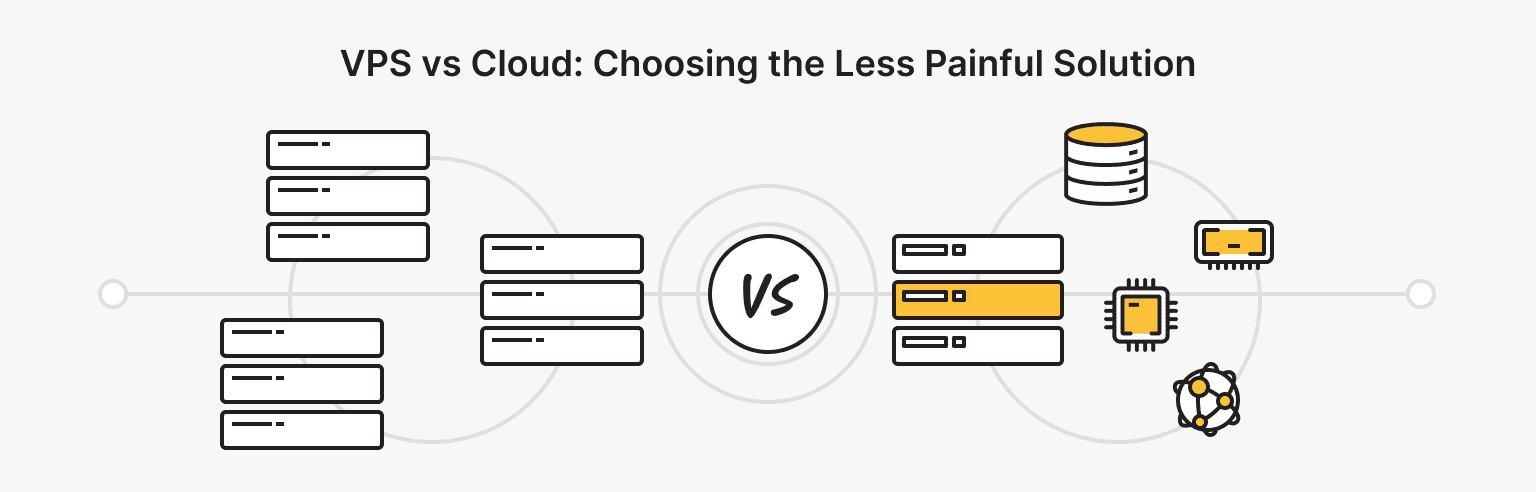
While a VPS operates in isolation on a physical server with a fixed amount of resources, the cloud operates on a cluster of multiple servers. This is a major advantage, as resources can be scaled vertically and quickly: on the cloud using a pay-as-you-go system, and on a VPS on demand.
If you’re still choosing and comparing options, here’s a list of the main benefits of VPS and their corresponding “buts” compared to cloud hosting:
- Predictable pricing, usually a fixed fee for the plan.
But scaling in one second is limited by tariffs or node resources, and with a sharp increase in load, migration may still be necessary.
- Dedicated resources and clearer control over the performance and resources you purchase (vCPU, RAM, disk).
But in the cloud, it’s easier to spread out the load, and downtime is less noticeable when it occurs.
- More control over the OS and environment — full root access, allowing you to fine-tune the stack, firewall, etc.
But the responsibility for administration is higher, as it lies with you.
Alternative: A managed VPS, where the hosting provider's team takes care of administration for you.
- Simpler and cheaper for stable, predictable loads, such as websites, APIs, small databases, queues, VPNs, and dev/stage.
But if the load on the server is sawtooth, it’s sometimes more profitable to pay for actual consumption in the cloud.
- Clean and quick start, as there are fewer dependencies.
But in the cloud, many things come out of the box, while on a VPS, you have to assemble them yourself.
Cloud strengths (and their honest trade-offs):
- Flexibility and rapid scalability, as you can increase resources and add instances based on load without unnecessary support tickets.
But you pay for convenience with higher costs for constant load and unpredictable bills every month.
- High availability and fault tolerance across regions, load balancers, and auto-replacement of instances.
But it almost always means more components and higher expenses.
- Many managed services, so there’s no need to spend a lot of time installing the necessary utilities.
But over time, migrating architecture between providers becomes painful due to vendor lock-in.
- Fast time-to-market, or less “routine” on the infrastructure and more on the product.
But for some projects, this can be excessive: you may overpay for services that can be replaced by a single VPS.
Unfortunately, we can’t telepathically determine what’s best for you right now. Therefore, focus on the load metrics and choose the lesser of two evils — VPS or cloud alternatives.
Or don't choose, but build a hybrid infrastructure. Increasingly, this approach is one of the server hosting trends that causes fewer headaches for complex projects.
So… Should You Run to Rent a VPS?
Not necessarily.
If you have a service that must be stable, scale predictably, and avoid billing surprises, VPS is often the calmest path: isolation and control close to a dedicated server, without owning the metal. And if you’re piloting VPS for AI features, it can be a sane place to host the surrounding services while you keep heavier training where it belongs.
If you don’t have time (or interest) in administering infrastructure, consider a managed approach. Many businesses would rather ship products than spend nights on patches and monitoring.
And yes, if you’re interested in passive income rather than earnings in stability, this would be through an affiliate program.
For those who are ready to try VPS
VPS with NVMe speed, 40+ locations, managed or unmanaged — your choice.