TL;DR
Between mid-May and mid-June 2026 Amnezia VPN went through a major infrastructure outage, with the acute phase landing in early June. The disruption hit every user, with Amnezia Free and paid accounts alike knocked offline. By June 17 the main international locations were back, but the episode showed that recovering from incidents like this takes weeks. Amnezia was also not the only service affected in those days.
What to do about it:
- Start with the basics: reconnect, switch protocol and location, reissue the config.
- Separate the service from the protocol. Amnezia's infrastructure was the thing that broke, while the AmneziaWG protocol kept working the whole time. A self-hosted config on your own server most likely stayed connected.
- Build a backup set of two or three tools on different protocols so you can switch in a minute when the main one fails.
- Look into a personal server. Running your own VPN server on a VPS with VLESS + REALITY gives you more control, and setup takes about half an hour.
Everything below expands on these points.
What Happened to Amnezia VPN, and Why It Will Last
The first mass disruptions started in mid-May with a block of the service's IP addresses, and the acute phase came in June: server switching stopped working, whole ranges of addresses went dark, and the app showed a live connection over an empty screen.
Both Amnezia Free and Amnezia Premium were hit at once. The outage did not spare the paid tier: Amnezia Premium subscribers lost the same server switching as everyone on Amnezia Free, and the team later extended Premium subscriptions to make up for it. That detail matters when you weigh an Amnezia VPN plan against a self-hosted setup, since paying for Amnezia Premium buys convenience rather than immunity from an infrastructure-level block, and Amnezia Free offers even less of a cushion.
By mid-June the team brought 20 international locations back online through the AmneziaWG protocol and shipped a critical client update along the way.
The service BlancVPN failed in the same window, with more than 50 nodes down and a recovery that dragged on for three weeks. What broke was the centralized service infrastructure, the servers and IP addresses the Amnezia team runs, which is exactly what the censors targeted, while the AmneziaWG protocol itself stayed functional and carried those recovered locations.
Why It Will Last
A single blocked IP at Amnezia closes in about fifteen minutes with a backup server spun up in its place. A targeted cyberattack takes up to a week. Systemic blocking runs two weeks or longer. The June incident is in the last two categories, which is what turned hours of downtime into weeks.
At the same time the logic of censorship keeps shifting across heavily filtered jurisdictions, from Iran and China to Russia. Deep packet inspection (DPI) systems now judge the behaviour of a flow instead of its address, and they flag obfuscated traffic by indirect signs.
Plain WireGuard and OpenVPN get identified almost instantly, and changing the port does nothing to save them. The advantage goes to protocols that imitate legitimate traffic rather than the ones that only try to scramble it.
Restrictions increasingly reach the hosting under a VPN, not the VPN alone. Large budget cloud provider networks such as Hetzner, DigitalOcean, and Vultr get blocked in whole subnets when an entire address range falls under a restriction rather than a single server. A server under these conditions has to be recreated from time to time, and it pays to be ready for that.
What Is Wrong With AmneziaWG
Even when it works, AmneziaWG has recurring day-to-day problems that users have complained about for a long time. All of them come from the junk-packet padding the approach relies on.
A connection that stays stable over home Wi-Fi often freezes solid the moment you move to mobile data. Mobile carriers filter traffic more aggressively than fixed-line providers and suppress packets stuffed with large non-standard padding, reading the disguise AmneziaWG uses as a sign of a VPN.
The official app also takes the server for itself: it wants root access to the VPS and rewrites firewall rules, after which other services and Docker containers on the same machine frequently stop working.
None of this makes AmneziaWG a useless tool, and the project is very much alive: its main client repository sits near 13,000 stars with commits landing in July 2026, and the current client release is in the 4.8.19 range.
So if you have already noticed some of these problems and caught the blocking wave, here is what you can do right now and which services to switch to.
What to Do Right Now If You Are on Amnezia
Before migrating anywhere, run the basic checklist, because an Amnezia VPN connection often comes back at this stage. In short:
- Reconnect, switch location, switch protocol (OpenVPN, WireGuard, AmneziaWG, XRay Reality, Shadowsocks and other options), reissue the config.
- Check your environment too: other VPNs, proxies, antivirus software and ad blockers running in parallel often conflict with the client.
- On mobile data, lower the MTU to around 1240 and turn on the mobile obfuscation profile.
- For self-hosted, check that the server itself responds. Connect over SSH and confirm the VPS is alive and the host has not been blocked. A server reachable over SSH where the VPN will not come up usually points to a specific protocol or subnet being cut.
If none of that helps, move on to the alternatives.
Amnezia Alternatives
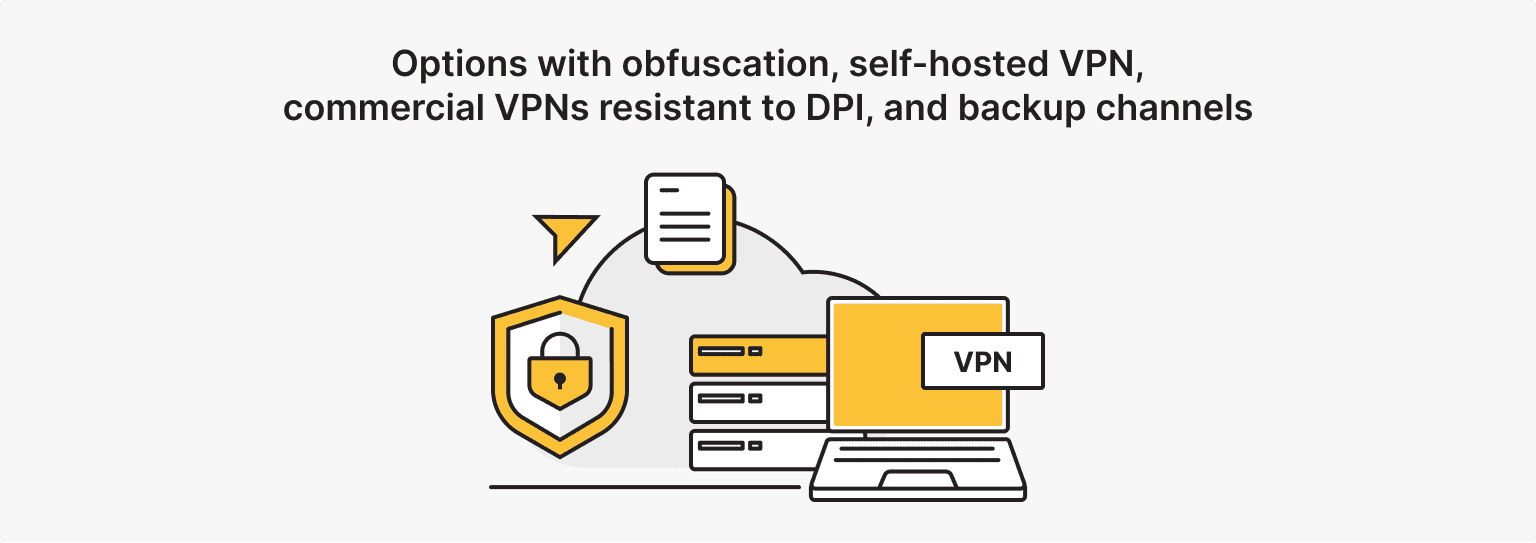
If your Amnezia VPN setup on AmneziaWG already fits your scenario, keep using it; the rest of this article is for those who want to compare before deciding.
In many countries the restrictions target the VPN services themselves rather than private users, though the status varies by jurisdiction, so check your local rules separately.
Your Own VPN on Clean Hosting
If Amnezia got you used to the self-hosted approach, it remains one of the most resilient options, though now with new caveats. Amnezia self-hosted was, after all, always about running the protocol on hardware you control.
The logic mirrors Amnezia self-hosted: you bring up a VPN server on your own VPS and manage it entirely. The dependence on a third-party service's infrastructure gets replaced by dependence on your own server, which can be recreated in minutes.
In practice the path runs like this:
- Take a VPS, ideally in a location and subnet with a good reputation, since that directly affects how quickly DPI starts scrutinizing your traffic.
- Install a management panel, for example 3x-UI, which noticeably simplifies setting up VLESS + REALITY and generating client links.
- Then create an inbound with VLESS + REALITY or XHTTP, fill in plausible dest and SNI values, and issue yourself a config. What is left is to import the vless:// link into the client.
The pricing and headroom at is*hosting
- VPS starts at $5.94 a month on annual billing, comparable to a commercial subscription while the server stays entirely yours.
- IPv4 is available up to 256 addresses per server; each extra one costs $4 a month, with a discount past ten addresses.
- IPv6 comes free on KVM up to 64 addresses, and beyond that at $0.01 per address.
- You take one or two dedicated addresses in a single location instead of the thousands of IPs across dozens of countries that a commercial VPN switches between with one tap.
- In return the addresses are personal, with a clean reputation, and not shared with the thousands of strangers whose behaviour is what gets subnets blocklisted in the first place.
- The risk here is that a blocked provider will take down even a perfectly built server, so make sure the host lets you move quickly to another IP or location.
VPS
A KVM VPS up in 5-15 minutes with a dedicated clean IP and 40+ locations — so when a subnet gets blocked, you rebuild your VLESS + REALITY server somewhere new in minutes.
For Those Used to WireGuard
Plain WireGuard gets caught by its fixed headers, but its traffic can be wrapped in an obfuscator. The wg-obfuscator utility disguises the stream as random data or another protocol, while phantun and udp2raw turn WireGuard's UDP packets into fake TCP.
The obfuscator has to run on both ends, server and client, so the scheme will not work with a third-party VPN server and you still need your own VPS. It is essentially the same path Amnezia took with its AmneziaWG, only assembled by hand from separate tools.
Options with Obfuscation
The core, meaning the engine, is currently either the actively developed Xray-core fork or the sing-box package. It runs on both the server and the client. Xray-core is also the most popular tool of its kind by a wide margin, sitting near 40,000 stars with roughly 5,600 forks on GitHub and releases shipping through 2026, so the ecosystem around it is well established.
Among protocols, VLESS stands out first. It is lightweight, encrypts nothing on its own, and as of mid-2026 remains the option the largest DPI systems have not decisively beaten.
Alongside it is Trojan, which uses a password instead of a UUID, and Shadowsocks in its current 2022 version. The outdated VMess is better avoided, since its encryption-inside-TLS pattern is easy to detect.
Masking is handled by REALITY, a technology that hides the TLS handshake behind a request to a genuine, popular website without needing its own domain or certificate.
On top of it run transports: XHTTP, the most resilient option in 2026, gRPC, and configurations that mask traffic through a CDN.
The client side is covered by a new generation of universal apps, Hiddify and Karing, which have largely displaced the narrow utilities. They give a single point of access to every kind of server, one-click subscription import and automatic config updates, and Hiddify additionally picks the node with the lowest ping.
Among the classic options, v2rayN on Windows and Nekobox on Android remain for those who like configuring proxy chains by hand.
Hysteria
Hysteria 2 deserves a separate mention, because it often gets recommended for speed. It is built on QUIC running over UDP and holds up well on channels with packet loss.
The weak spot: across many heavily filtered networks providers throttle UDP and QUIC on port 443, which leaves Hysteria 2's stability there unpredictable.
TCP-based solutions such as VLESS Reality work more reliably on any channel, including congested cellular networks, while UDP protocols run into deliberate QUIC suppression.
So Hysteria 2 makes sense as a backup channel for speed where the provider lets it through, with the main load left on a TCP solution.
Outline
Outline runs on Shadowsocks, but removes almost all of the setup fuss: through the Outline Manager app the server comes up in a couple of clicks, and matching clients exist for every platform, mobile included. Outline Manager also hands you the access key your users paste into the client, with no config file to edit. Each person gets a unique access key, and revoking one access key cuts off that user without touching anyone else.
Its obfuscation, based on entropy masking, is more modest than that of VLESS Reality, and against the most advanced DPI it holds up less well, though the barrier to entry is minimal.
That's a reasonable choice for anyone who cares more about getting working access fast than about squeezing out maximum stealth.
Outline recently moved from Jigsaw to a new Outline Foundation, and the old Jigsaw-Code module paths are now deprecated in favour of OutlineFoundation. The code stays healthy: the Outline Server repository and the Outline Client apps both sit in the several-thousand-star range with updates through mid-2026, so this is a change of stewardship rather than a sign of neglect.
What About the Xray, VLESS and REALITY Blocks?
In early June 2026 users across strongly filtered networks ran into mass failures of Xray, VLESS and REALITY setups.
DPI analyses the TLS fingerprint (JA3 and JA4), the declared SNI, the behaviour of traffic after the connection is established, and the reputation of the IP subnet. Even a flawlessly configured REALITY server sometimes fails when the client has a non-standard TLS fingerprint or the traffic profile inside the tunnel looks wrong for the site it claims to imitate.
The practical takeaway: when setting up the client, always specify the fingerprint, usually chrome, and on the server look toward the XHTTP transport and non-standard ports.
Commercial VPNs Resistant to DPI
When you have no wish to deal with a server at all, ready-made commercial services remain. Naming one correct choice is pointless, because the market shifts weekly and yesterday's working option falls under a block today.
The likes of NordVPN and dozens of others get chosen on your own criteria: DPI resistance through support for modern obfuscated protocols, speed of reaction to blocks, and a clear logging policy.
A ready-made commercial VPN makes sense when you need quick access to different locations and IPs without setup, when you want to avoid server administration, or when the service plays the role of one tool in a backup set. Beyond those cases, your own server usually wins on control and predictability.
Backup Channels for Staying in Touch
For the case when access disappears everywhere at once, it helps to keep backup channels that do not depend on a classic VPN.
Many messengers have built-in circumvention mechanisms, proxy modes for example, and it is worth setting them up in advance while everything works. Keep several messengers on hand so that contact survives through at least one when another goes down.
Blocking-monitoring tools are separately useful: they quickly show whether you have hit a personal problem or a mass incident, and suggest whether anything needs changing at all. OONI Probe or the Censored Planet data are good starting points here.
How to Choose for Your Case
The logic of the pick depends on where you need access.
- For messengers and a couple of sites, a light solution is enough: an obfuscated client with a ready subscription or a free point solution.
- For all traffic in daily use, your own VPS with VLESS + REALITY or XHTTP works well, as does a reliable personal VPN.
- For access to AI services and foreign platforms, IP reputation becomes the deciding factor, because many sites block server addresses. Private or residential addresses help here instead of shared VPS subnets.
Personal VPN
A ready personal VPN on a dedicated IP with a clean reputation.
How Not to Be Left Without Access in the Future
- Keep two or three tools in reserve on different protocols and from different providers, so you can switch in a minute when the main one fails.
- Update clients and follow the news of your service, since a significant share of failures gets fixed by a fresh config the service has already released while the user does not know about it.
- Spread your infrastructure out: if you rely on your own server, keep a spare VPS in another location and subnet.
- Subscribe to blocking monitors, as knowing the difference between a mass incident and a local breakage saves nerves and time.