TL;DR
- Why this matters: Clawdbot's deep features need macOS — Linux won't cut it.
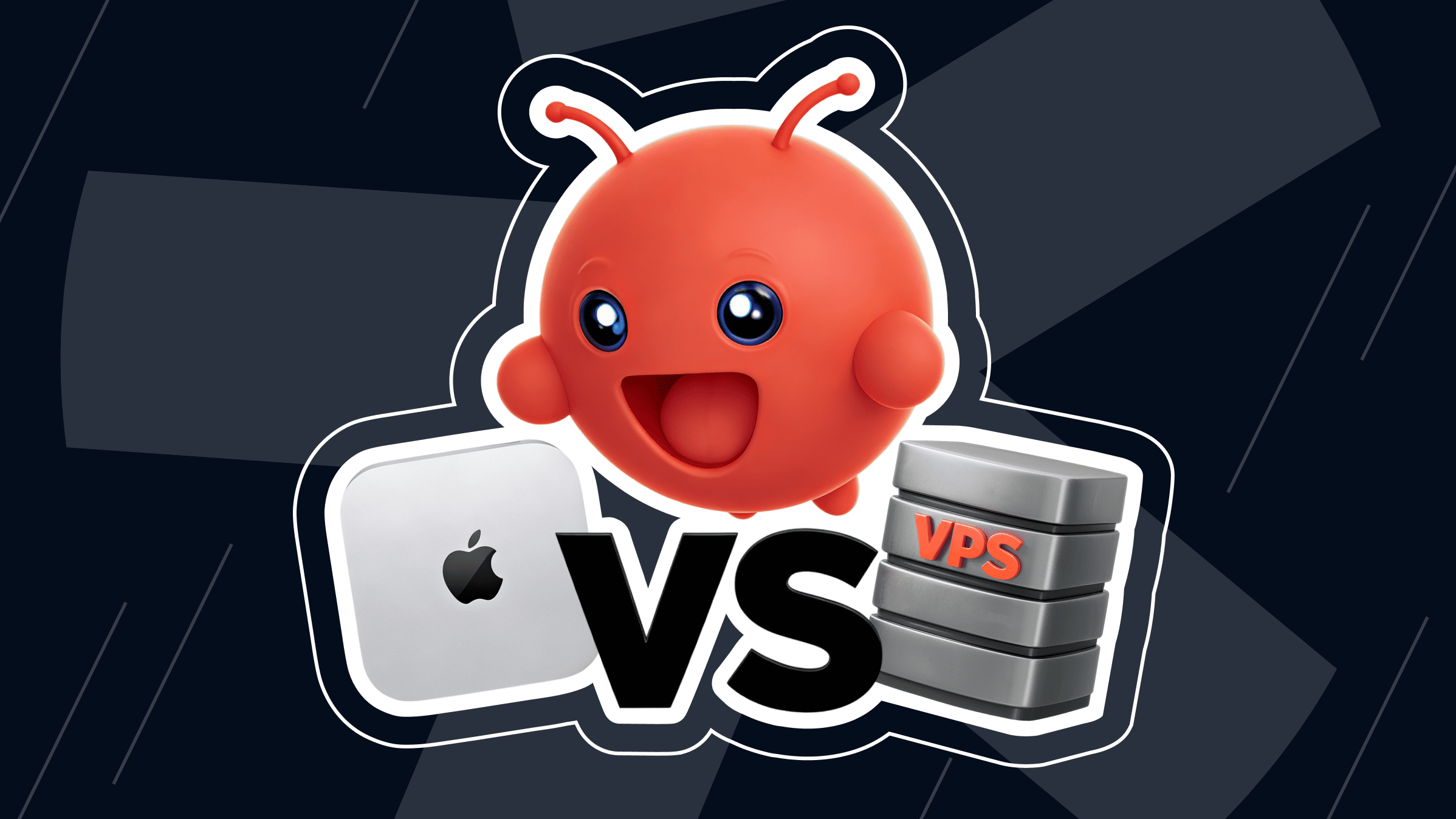
- The choice: buy a Mac mini, or rent a macOS VPS.
- The numbers (2026): ~$850–1,050 for a 3-year Mac mini setup vs. ~$1,150 for the entry macOS VPS (is*hosting Premium, annual). The Mac mini is now cheaper to own.
- Pick Mac mini if: you want data sovereignty, already have UPS + fiber, and run a homelab.
- Pick a VPS if: you need macOS in a specific country, want to test or prototype without buying a $799 box, or prefer flexibility over ownership.
What Clawdbot Is and Why It Needs macOS
To understand why infrastructure matters, we must look under the hood. Clawdbot isn't just a simple script; it's a full-featured worker processing heavy workflows.
Clawdbot (OpenClaw): AI Agent for Telegram and Slack
At its core, this AI agent functions as a bridging mechanism between advanced models and messaging app channels on Slack or Telegram. It monitors conversation streams, manages vector embeddings, and triggers tools without human intervention.
For power users, this means the AI assistant acts as an autonomous agent capable of:
- Pulling data from secure databases
- Summarizing long technical documents
- Writing and executing code snippets
- Posting alerts based on custom logic
Because it processes continuous webhooks locally, it requires a high-throughput environment. If the computer struggles with process management, latency spikes can cause missed messages.
macOS VPS
Run Clawdbot on a macOS VPS in 40+ locations — 5–15 min deploy.
Why macOS and Why the Hardware Doesn't Have to Be Physical
Clawdbot's deeper features rely on Apple's native frameworks — Swift modules, system libraries, and local embedding APIs — which only run on macOS. Linux servers can't substitute. But needing macOS doesn't mean you need to buy a Mac.
Virtualization has matured to the point where macOS lives in proper data centers, not under someone's desk. Unlike providers that rack native Apple hardware (MacStadium and similar), is*hosting runs macOS on standard server hardware using the same approach as a Hackintosh. You get macOS in 41 locations, standard KVM infrastructure, and a 15-minute setup. The trade-off is clear: this is purpose-built for short, specific workloads — software testing in a macOS environment, build verification, and prototyping. It's the wrong tool if you need Apple Silicon performance or plan to use it as a primary dev environment. From the application side, you get a clean macOS install with full root access and a static IP.
Why People Choose Mac mini for Clawdbot
For many individual developers, a Clawdbot Mac mini setup is the obvious first move — buy the hardware, plug it in, and you're done. Getting started with a Mac mini Clawdbot project feels tangible in a way that a remote server doesn't.
Physical Control, One-Time Cost, Apple Silicon Efficiency
The most compelling argument for a physical computer is complete ownership. When you purchase hardware, you pay once. There are no monthly subscription fees, and no vendor risks. For developers managing long-term projects, this predictable cost model is highly appealing.
Furthermore, setting up a dedicated Mac mini server allows for absolute control. You own the drives, and data never travels through a third-party layer — an important consideration for users with security concerns about cloud services.
Beyond ownership, Apple Silicon has revolutionized self-hosted AI automation. A modern system sips a negligible amount of electricity while idling. Even when generating vector embeddings or running AI agent tasks, the thermal footprint remains shockingly low. You get performance rivaling enterprise tower servers without a massive bill. If you want to know why a Mac mini for Clawdbot makes sense, look no further than Apple's unified memory architecture, which speeds up AI-related tasks dramatically.
The Real Downsides
Despite the triumphs of Apple Silicon, running a permanent service on physical consumer hardware comes with hidden costs. The biggest challenge of Mac mini self-hosting is the vulnerability of standard residential infrastructure.
Consider these everyday risks:
- Power outages. Your home network is likely not backed up by commercial-grade power generators. If a storm knocks out your power, your AI agent goes offline immediately.
- Hardware degradation. Hardware accumulates dust and relies on peripherals that can fail. If a storage drive degrades, you are strictly responsible for troubleshooting.
- Network chores. If you decide to self-host on Mac mini hardware, you handle all networking configurations. This means configuring dynamic DNS and managing port forwarding on your router.
What started as a fun automation project can turn into a tedious management chore faster than you might expect.
The Mac mini Alternative: VPS with macOS
As cloud computing evolved, providers took two different approaches to running macOS in data centers. Some rack native Apple hardware (the MacStadium model) — premium pricing, US-focused, native Apple Silicon performance. Others, including is*hosting, run macOS on standard server hardware using a Hackintosh-style approach — wider geography, lower pricing, but trade-offs in performance and use case. These aren't competing on the same axis; they serve different needs.
What macOS VPS Actually Is, and How It Runs Clawdbot
A macOS VPS is a macOS instance running in a data center and accessible remotely. With is*hosting specifically, that instance runs on standard server hardware in a Hackintosh-style configuration. This is what makes the 41-location footprint and accessible pricing possible, but it also defines what the product is for: software testing in a macOS environment, build verification, and prototyping.
When you rent the server, you get full root access to a clean macOS install. You connect via SSH for command-line work or over a remote desktop protocol for the GUI.
From the application side, Clawdbot doesn't notice the difference between the remote instance and a local desktop. The running Clawdbot agent executes tasks the same way — just from a resilient data center instead of your kitchen counter.
Advantages: No Hardware, Instant Start, Global Locations, SLA
The significant benefit of opting for a cloud-based server is the complete elimination of hardware responsibility. You don't have to wait for delivery or configure cables.
Here's what you gain by renting instead of owning:
- Instant provisioning. You can provision an instance in a few clicks and begin writing code immediately. At is*hosting, macOS VPS instances spin up in 5–15 minutes after payment.
- Enterprise reliability. Because these systems live in Tier III+ data centers, they benefit from industrial-grade redundancies. They are connected to multiple internet providers, protected by massive power supplies, and monitored constantly.
- Uptime guarantees. Providers offer 99.9%+ SLAs, ensuring your AI agent is always online.
- Global reach and static IP. A VPS allows you to deploy your agent in global locations closer to your target infrastructure. is*hosting runs macOS VPS across 40+ locations, with up to 256 additional IPv4 addresses available per server. You also get a static, dedicated public IP out of the box, eliminating the need to configure inbound tunnels.
Mac mini vs. macOS VPS: Head-to-Head
To truly understand which direction fits your specific needs, we must compare these two options directly across total cost, processing performance, reliability, and ease of management.
Pricing Breakdown: Mac mini TCO vs. macOS VPS Monthly Cost
To compare costs honestly, we'll look at the Total Cost of Ownership (TCO) over a three-year hardware lifecycle — the period after which most users start eyeing the next Mac mini anyway. The cloud side uses is*hosting's Premium plan with macOS (4 CPU cores, 8 GB RAM, 50 GB NVMe) on annual billing. Premium is the entry tier for macOS VPS at is*hosting; lighter tiers exist for Linux, but macOS workloads start here.
|
Cost category |
Physical Mac mini setup |
macOS VPS (is*hosting Premium, annual) |
|
Initial hardware |
$799 (M4, 16 GB RAM, 512 GB SSD) |
$0 |
|
Monthly fee |
$0 |
$31.99/mo |
|
Power and home networking (3 yrs) |
~$50–95 |
Included |
|
UPS, backups, monitoring |
Your responsibility (~$150 if done properly) |
Included |
|
Total 3-year investment |
~$850–1,050 |
~$1,150 |
Plug in current numbers, and the picture is different from the usual VPS-wins narrative. Over three years, the physical Mac mini comes out cheaper than the cloud option by roughly $100–300, depending on how you account for power, UPS, and your own time. The break-even moment — where renting equals owning — lands around month 25–27.
What that means in practice: for long-running, predictable workloads (a Mac mini server quietly running Clawdbot 24/7 for years), the hardware path is actually cheaper. The cloud only wins on cost if your workload is short, intermittent, or geographically distributed in ways a single physical box can't cover.
The real reason to pick a macOS VPS isn't the raw three-year cost. It's flexibility: skip the $799 upfront, spin up macOS in a specific country, kill it when you don't need it, and scale tiers without buying a new machine.
Performance, Uptime, Scalability, and Setup Time Compared
A local Mac mini holds an edge in raw latency — there's no network hop between you and the box, and it runs on real Apple Silicon with M-series chips. A virtualized macOS environment on a VPS handles many of the same tasks, but with network overhead and reduced performance compared to running directly on a Mac. For sustained heavy work (Xcode compilation, video rendering, hours of vector embedding generation), physical hardware will outperform.
Where running Clawdbot on a macOS VPS actually shines is in short, specific jobs: spin up a macOS environment in 15 minutes, run what you need, then shut it down or keep it running for as long as the job lasts.
Need to verify a build, test an integration, or prototype a personal AI agent on macOS without committing to hardware? The VPS is the right tool. Need to run a production Clawdbot agent 24/7 for years with cron jobs and automation tasks? Honestly, dedicated Mac hardware will serve you better long-term.
Scalability is another area where these architectures diverge. When deciding which Mac mini to buy for Clawdbot, you're locked into your configuration the moment you purchase it — Apple Silicon chips are soldered onto the board, so you can't add RAM later. If your agent outgrows its resources, the only choice is to buy a new machine.
A VPS lets you scale up by changing the plan and rebooting: is*hosting moves you from Premium (8 GB) up through Elite (16 GB) and beyond without reinstalling anything. Setup time follows the same pattern: a virtual server is ready in minutes; physical hardware needs unboxing and configuration.
Which Setup Is Right for You?
Let's break down the ideal profiles for each deployment path.
Choose Mac mini If...
Opting for a physical desktop server makes the most sense if you're a privacy purist, a homelab enthusiast, or someone who already has solid local network infrastructure. If you run multiple local services and enjoy managing physical machines, the long-term cost savings are undeniable.
It's the perfect choice if you plan to feed your agent sensitive proprietary documents that you refuse to store on a third-party drive. Mac mini self-hosting gives you absolute peace of mind regarding data sovereignty and system access control.
Choose macOS VPS If...
A virtualized macOS environment is the right choice when you don't want to own hardware, and you need flexibility more than maximum performance. That covers several real cases: developers verifying builds or running browser control tests on macOS without owning a Mac, teams prototyping a Clawdbot deployment before committing to dedicated hardware, and anyone who needs a macOS environment in a specific geography for a time-bounded task.
It's also the practical answer for short-term or unpredictable workloads — projects you might run for two months or two years, but where buying $799-and-up hardware upfront feels like a heavy bet. API token costs stay predictable, and you can shut down the instance when users aren't active.
Three Scenarios with Real Numbers
Let's explore three typical deployment scenarios:
- The independent developer. Building a personal AI assistant. For this user, is*hosting's Premium macOS plan at $31.99/mo (annual) provides an instant start with zero friction and no four-figure upfront purchase.
- The cross-platform developer. Building a Clawdbot variant that needs to verify behavior on macOS — Safari rendering, native notifications, AppleScript triggers — but who otherwise works on a Windows machine or Linux. Buying a Mac for occasional verification doesn't make sense. A macOS VPS spun up for the test, run for a few hours or days, then shut down, is the cleanest fit. For a 24/7 production agent, by contrast, a dedicated Mac mini server is a better fit.
- The homelab veteran. A dedicated developer who already runs a home automation system. They decide to expand their setup to include Mac mini self-hosting for their open-source AI workflows. With an existing UPS and fiber connection, adding a Mac mini to their local cluster is a minor operational change that pays for itself rapidly — full performance, no recurring fees.
Getting Started with Clawdbot on a macOS VPS
Before provisioning your virtual instance, ensure the configuration meets the resource demands of modern language integrations. Look for a plan providing at least two dedicated CPU cores, a minimum of 4 GB of unified memory, and 40 GB of solid-state storage. is*hosting's Premium tier covers these specs comfortably — 4 CPU cores, 8 GB RAM, 50 GB NVMe — and includes unmetered bandwidth, which is useful if Clawdbot is pulling embeddings or scraping documentation regularly.
Worth noting: Clawdbot is also available as a preinstalled image at order time on is*hosting VPS, which shaves the manual installation steps off the list. Once purchased, provisioning completes within 5–15 minutes, and access credentials arrive in your inbox.
Five Steps from VPS to Running Clawdbot Agent
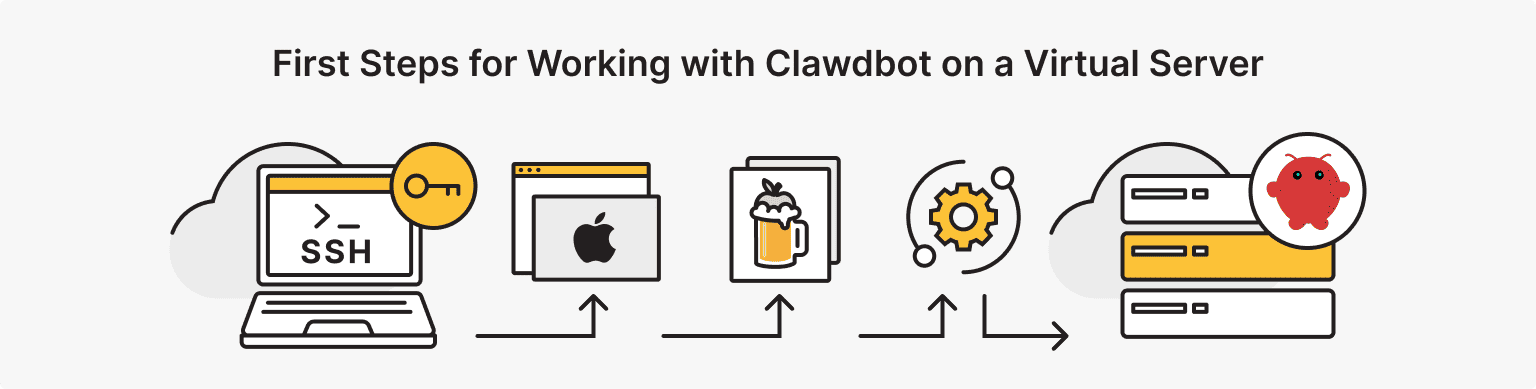
Once your system is ready, deployment follows five clear stages:
- Connect via SSH. Open your terminal and use terminal commands to SSH into your VPS.
- Install the package manager. Install Homebrew via the official install script and update your system paths.
- Prepare dependencies. Use Homebrew to install Git and the latest Python version, required to execute the core files.
- Clone and configure. Clone the open-source application repo, cd into it, and install dependencies via pip.
- Launch application. Create and configure your environment file by copying the provided template. Open this file using a text editor and insert your sensitive API keys, database connection parameters, and Telegram bot tokens. Save your changes and launch the application daemon.
To keep the script running locally after you disconnect, set up a standard macOS launchd file. The local Mac mini Clawdbot setup uses the same software steps; the cloud just gives you a static IP and faster downloads on top.
Final Thoughts
Choosing between a Mac mini and a macOS VPS comes down to balancing control against convenience. For homelab veterans with solid local networks, the physical route saves money over time and gives you full ownership of a self-hosted AI assistant project.
But if you need macOS in a specific country, want to verify something on macOS without committing to a $799+ purchase, or run short-term testing workloads, a virtualized macOS VPS is the practical fit. It's a different product from a Mac mini — Hackintosh-style infrastructure built for testing, prototyping, and debugging, not for replacing a native Mac. The Mac mini vs. VPS comparison no longer favors VPS purely on cost, so the choice should come down to use case: native performance with ownership, or remote macOS access for specific, time-bounded automation work.
Whether you self-host on Mac mini hardware or rent a macOS VPS, the goal is the same: a stable home for Clawdbot that lets you focus on workflows, not infrastructure.