TL;DR
- Start with hosting: It dictates speed, SEO, security, and uptime. Fast-track picks are Cloud vs. VPS vs. Dedicated, plus managed vs. unmanaged based on your ops capacity.
- Choose the platform by operating model: Builders for fast launch; WordPress for content, SEO, and flexibility; HubSpot for CRM-first teams; Webflow for design-led marketing; Joomla only with clear need and expertise; Shopify or WooCommerce + WordPress for e-commerce.
- Domain + SSL: Pick a clean, easy-to-type domain and keep ownership with auto-renewal in the company account. SSL is mandatory — DV is enough for most sites; OV/EV is for compliance/vendor requirements. Vendors: Let’s Encrypt, SSL For Free, Sectigo, DigiCert.
- Security baseline: WAF, malware or vulnerability scanning, reliable backups, 2FA, and regular CMS and plugin updates.
- Performance and growth: Measure with PageSpeed Insights and WebPageTest; fix caching, CDN, images, and scripts; watch hosting limits (RAM, CPU, IO, workers, database); run a minimal growth stack: Search Console + keyword tool, email + landing pages, GA4 + heatmaps, UTMs.
Let's not waste any time and start reviewing the tools for building a niche website.
Website Hosting for Small Business
As cliché as it may sound, hosting is the foundation of everything. Website speed affects conversions and SEO, security affects business continuity and brand trust, and uptime affects revenue (especially for lead-gen and e-commerce sites).
Most businesses start on basic website hosting for small businesses and move up as requirements increase — more traffic, more integrations, higher compliance expectations, or stricter performance targets.
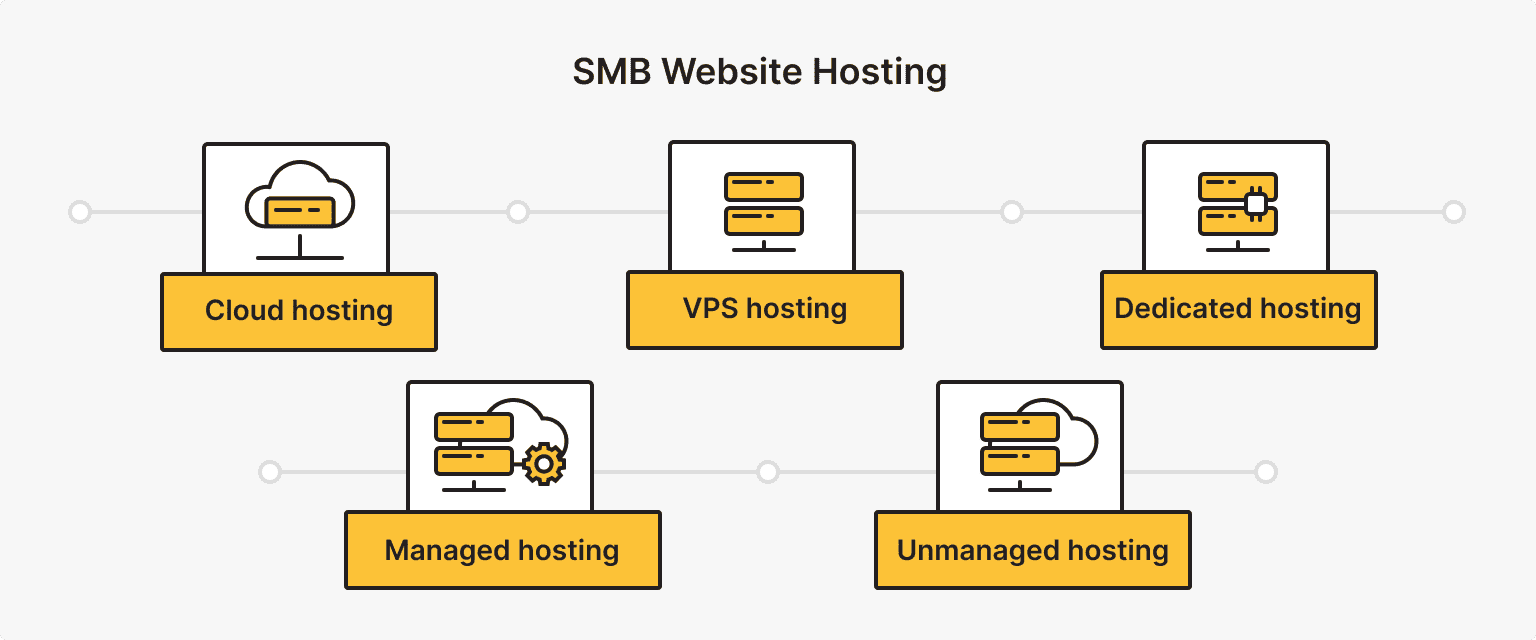
Fast track choice:
- Cloud. When traffic and load are variable, and you need elastic capacity and higher availability than a single server can provide.
- VPS. When shared hosting hits CPU, RAM, or IO limits and you need predictable and scalable resources and isolation at a sane cost.
- Dedicated server. When the workload is consistently heavy, or you require full hardware control and strict isolation.
- Any managed hosting. When you want the provider to own patching, backups, monitoring, and incident response.
- Any unmanaged hosting. When you have engineering capacity to run the stack end-to-end, including security hardening, updates, monitoring, and restores.
VPS
A VPS provides dedicated, isolated resources (CPU, RAM, and storage allocations) on a physical server that is shared by fewer users through virtualization.
While the resources are predictable and isolated, they can be scaled up at any time. For example, you can add more CPU or RAM, increase backup capacity, or connect additional IP addresses.
However, you are responsible for more operational work, such as patching, security hardening, and monitoring, unless you opt for managed services (see the last chapter on hosting for more on managed vs. unmanaged).
A VPS is often the best hosting for a niche website when shared hosting starts to limit performance, but a dedicated server would be excessive.
Cloud
With cloud hosting, your workload runs on a cluster of machines rather than on a single physical server. The practical benefits are resilience and elasticity. The platform can redistribute the load, scale resources without manual intervention, and fail over when something breaks.
However, pricing can be unpredictable, and performance depends on architectural choices such as autoscaling, storage type, and caching strategy. Without good tooling, operational complexity can increase. There are also vendor lock-in risks.
Dedicated Server
A dedicated server is a physical machine reserved for a single customer. You get full control over the hardware and the strongest isolation for performance-sensitive workloads and strict security requirements.
Scaling is slower (you add or upgrade hardware), maintenance is more hands-on, and availability depends on your redundancy plan (or your managed provider’s design).
Dedicated servers are typically chosen when the workload is mature and resource demands are stable enough to justify owning the full machine.
There is more information available on VPS and dedicated server comparisons.
Managed vs. Unmanaged
This isn’t a hosting type, but an operating model that applies to VPS, cloud, and dedicated servers.
With managed hosting, the provider handles operational tasks such as OS and control panel updates, security patching, monitoring, backups, and sometimes performance tuning and incident response. It's great for SMB teams without in-house sysadmin capacity.
With unmanaged hosting, you receive the infrastructure and full control, and your team handles configuration, security hardening, updates, monitoring, and troubleshooting. This is a common choice for teams with engineering or DevOps resources, custom stacks, strict configuration requirements, or companies that prefer full control over the environment with small business web hosting tools.
Here's a detailed comparison of managed and unmanaged hosting in the context of VPS.
CMS and Website Builders for Small Business
Fast track choice on how to build a niche website:
- Local service business or brochure site: Wix, Squarespace, Weebly
- Content marketing + SEO growth: WordPress (managed, if there is no technical team)
- CRM-first organizations: HubSpot
- Design-heavy marketing site: Webflow
- Joomla: Only when clearly necessary for expertise
Website Builders (Wix, Squarespace, Weebly)
Website builders for small businesses are the “boring benefits” option: hosting, updates, and security are mostly handled for you. You focus on pages, offers, and content.
Use a builder when you need the site live this week, and it mostly consists of marketing pages, a blog, and lead forms.
Practical picks as your best website builder for a niche site:
- Wix. Flexible editor, fast iteration, lots of built-in features, and integrations.
- Squarespace. Strongest templates out of the box; great for portfolios and brand-forward sites.
- Weebly. A great alternative to Wix and Squarespace.
These tools for small business website setup have trade-offs:
- Customization has limits (especially for non-standard flows).
- Portability is weaker (moving away later can be hard).
- Advanced SEO and performance tuning are within platform limits, not “anything you want.”
CMS for Niche Website (WordPress, HubSpot, Webflow, Joomla)
A CMS makes sense when the website is a system you’ll grow: content library, SEO pipeline, custom landing pages, integrations, or monetization beyond a simple form.
WordPress
WordPress is used by 59.9% of all websites where the content management system is known. Pick WordPress if:
- Content and SEO are part of the plan (blog, guides, topic clusters).
- You need non-standard flows (plugins, custom forms, complex site structure).
- You want control and portability (you can move hosts and scale the stack).
You’ll need hosting and basic discipline around updates and backups, or choose managed WordPress hosting to offload maintenance.
HubSpot
A strong alternative to WordPress is HubSpot — with CRM, forms, automation, and analytics built in — offering some of the best website tools for SMBs. Pick HubSpot if:
- You want “content → lead → deal” in one system without stitching small business website tools together.
- You need marketing features out of the box (forms, CRM-native tracking, personalization, reporting).
- You prefer a managed environment where performance and security basics are handled at the platform level.
The trade-off: higher cost as you scale and tighter lock-in to the HubSpot ecosystem.
Webflow
Best fit for design-led SMB sites and landing-page-heavy marketing. Pick Webflow if:
- Design control matters, and you want polished pages without custom front-end development.
- You have a designer (or someone who knows Webflow).
- You build a lot of campaign pages and want clean, consistent visuals.
Be ready for a steeper learning curve for non-designers and less flexibility than WordPress for content-heavy expansion.
Joomla
Best fit when you need more structural CMS logic and control over websites and sections. Pick Joomla if:
- You already have internal expertise or a Joomla contractor.
- You’re building a website with a more complex structure than a typical SMB marketing website.
Trade-offs: higher entry threshold and more expensive support compared to WordPress for typical SMB websites.
Shopify
If online sales are a core process, Shopify is the fastest, lowest-maintenance path to a stable store.
As an alternative, WooCommerce (WordPress) is best when the store is tightly tied to content and SEO, and when you’re ready to maintain a WordPress stack.
Alternatives
Tilda, Drupal, and Duda are other CMS options to consider, as they compete with WordPress in the market.
Domain and SSL Certificates

Choose a domain name that’s easy to spell and say and difficult to confuse. For most small-to-medium-sized businesses, .com is still the safest default. Use a local top-level domain (TLD) — for example, .co.uk, .com.au — if you primarily sell in one country.
Register your domain with a reputable registrar, enable auto-renewal, and maintain ownership of the domain in your company's account, not a contractor's. Pricing varies by TLD and promotions, but registrars like Namecheap publish the exact registration and renewal fees upfront.
SSL (TLS) Certificates
SSL (TLS) is non-optional. It enables HTTPS, encrypts data between the browser and your site, and prevents “Not secure” warnings. HTTPS is also a confirmed Google ranking signal, so skipping SSL can hurt both trust and search performance.
Which certificate type do SMBs need?
DV (Domain Validation) is a sufficient SSL certificate for small business websites, marketing sites, blogs, and standard e-commerce.
OV/EV (Organization/Extended Validation) is useful when you need stronger identity vetting for compliance, vendor requirements, or higher-risk environments. The difference is in validation rigor.
Certificate Authorities (CA) worth knowing
- Let’s Encrypt. Free, automated DV certificates; a project of the nonprofit Internet Security Research Group (ISRG).
- SSL For Free. Issues free certificates via ACME (powered by ZeroSSL) with 90-day validity; suitable if you prefer a web flow over CLI automation, but renewals still need to be handled.
- Sectigo (formerly Comodo CA). A commercial CA with broad product coverage and common SMB-friendly pricing; OV/EV issuance involves additional verification steps, so it can take longer than DV.
- DigiCert. Enterprise-focused CA with strong validation processes and OV/EV options; typically chosen by larger organizations or when compliance/procurement requires it.
How to get an SSL certificate?
Website Security Tools for Small Business

What you need for security:
- Web Application Firewall (WAF)
- Malware and vulnerability scanner
- Regular backups
- Strong passwords, two-factor authentication
- Keeping your CMS and plugins updated
Small business websites are, unfortunately, targets for hackers and malware, and niche sites are no exception. That’s why you need website maintenance tools for a small business.
The first security layer is the SSL certificate we just discussed, which encrypts data in transit. Beyond that, consider using a Web Application Firewall (WAF). A WAF is a tool or service that filters out malicious traffic before it reaches your site.
- Cloudflare’s free plan includes basic WAF protection.
- Sucuri offers a cloud WAF that can block threats like brute-force login attacks, SQL injection attempts, and DDoS floods.
- If you’re on WordPress, plugins like Wordfence provide a firewall and intrusion detection specifically tuned for WordPress sites.
Next, you’ll want to routinely scan for malware and vulnerabilities. Security plugins or platforms can automate this process. Top options include Wordfence Security, Sucuri Security, or iThemes Security (for WordPress). These tools scan your files for malicious code, monitor for known vulnerabilities, and often also harden your site by disabling weak points. They also offer features like login attempt limiting and two-factor authentication. Running a malware scan at least monthly (or in real-time via a plugin) is best practice.
Another indispensable security tool is a backup solution. Regular backups ensure that if something goes wrong (like a hack, server crash, or human error), you can restore your site quickly.
- Many hosts include daily backups — check your provider. is*hosting offers free weekly backups and paid daily backups.
- If not included, use a plugin or service such as UpdraftPlus (WordPress plugin) or CodeGuard (cloud backup service) to automate backups to an off-site location.
Aim to have at least a weekly full backup (databases and files) stored safely. In a pinch, a backup is your insurance policy.
Finally, don’t forget basic security hygiene: use strong, unique passwords for your admin accounts, keep your CMS and plugins updated (updates often patch security holes), and consider enabling two-factor authentication for logins. Many security tools bundle these features, sending you alerts if an admin login occurs or if any file changes unexpectedly.
For e-commerce websites, security posture is more than crucial. Here’s how to maintain e-commerce security.
Free weekly backups included
Worried about force majeure? Let us handle it. All you need to do is choose a VPS with free backups.
Website Performance Tools for Small Business
Speed affects conversions, SEO visibility, and how trustworthy your business feels. Start with measurable targets, fix the usual bottlenecks (caching, CDN, images, scripts), then monitor so performance doesn’t degrade quietly over time.
Use Core Web Vitals as your baseline:
- LCP (loading) — under 2.5s
- INP (responsiveness) — under 200ms
- CLS (visual stability) — under 0.1
Step 1. Measure First
Use one tool for quick triage and one for deep diagnosis:
- PageSpeed Insights. Fast checks plus field data (when available) via CrUX.
- WebPageTest. Helps answer “Why is it slow?” It tests from multiple locations, real browsers, and configurable network conditions.
Look for a short list of high-impact issues: slow server response, heavy images, render-blocking CSS/JS, and third-party scripts.
Step 2. Caching
Caching is how you stop regenerating the same pages on every visit.
- WordPress (the most popular pick): Use a proven caching plugin (WP Rocket) or solid free options (WP Super Cache or W3 Total Cache).
- Hosting layer: Prefer hosts that include server-side caching and fast storage (SSD/NVMe). This is often more reliable than plugin-only setups.
Step 3. CDN or Multiple-Location Infrastructure
A CDN pushes static assets closer to users and reduces latency, especially valuable if your audience isn’t in the same region as your server. Cloudflare is a common SMB choice because you can start simple and later add caching rules as needed.
An alternative is building an international infrastructure with the same operational principles as CDN, but fully under your control. For example, running several VPS servers in different regions.
Get isolated dedicated server resources
VPS that keeps your websites running fast. NVMe storage, instant scaling, and 40+ global locations.
Step 4. Image and Media Optimization
Large images are a top reason that pages feel “heavy.”
Do the basics:
- Compress images (TinyPNG or an image optimization plugin).
- Serve responsive sizes (don’t ship a 3000px image into a 600px container).
- Use modern formats (WebP/AVIF) where possible.
- Lazy-load below-the-fold media.
Step 5. Testing Tools
What to fix next? Check these tools to decide:
- WebPageTest is great for a deep breakdown, location, and network simulation.
- GTmetrix provides a quick waterfall-style view for debugging specific assets and requests.
Focus on a few patterns: too many scripts (especially third-party), render-blocking CSS or JS, slow TTFB, heavy fonts, and unoptimized images.
Step 6. Uptime Monitoring
New plugins, trackers, and theme changes can quietly slow your site down. Use:
- Uptime monitoring (Pingdom or Uptrends). For 24/7 availability alerts
- Scheduled speed checks. Monthly is enough for most SMBs; weekly if you run campaigns regularly
Step 7. Hosting Resources
Some SMB performance problems have nothing to do with “optimization” and everything to do with insufficient resources on the hosting side:
- Not enough RAM: The server swaps to disk, response time spikes, and the admin panel becomes sluggish.
- CPU limits (or throttling on shared hosting): Page generation queues up under load.
- Slow disk IO (cheap storage, overloaded node): Database and PHP requests stall.
- Too few PHP workers/app processes: Traffic waits in line, TTFB rises.
- Overloaded database (especially with WooCommerce or heavy plugins): Slow queries dominate page time.
How to recognize it:
- High TTFB in WebPageTest and GTmetrix, even when assets are optimized.
- Performance collapses during traffic spikes (campaigns, email sends, seasonal peaks).
- Intermittent 502/504 errors or “Resource limit reached” messages in hosting logs.
If you’re on shared hosting and regularly hit limits, upgrade to a higher tier or move to VPS or the cloud. If you’re on a VPS, analyze what’s insufficient and scale resources accordingly. If you lack physical isolation, move to a dedicated server.
For WordPress, reduce “dynamic work” per request by using server-side caching, object caching (Redis and Memcached if available), and fewer resource-intensive plugins.
Marketing and Growth Tools for Niche Websites

Once the site is live, growth comes down to three systems: traffic acquisition, lead capture, and conversion + retention. MOFU SMB sites usually win by doing the basics well and consistently, then adding tools that remove manual work or improve decision-making.
Quick stack:
- SEO + content. Google Search Console and one keyword tool (Keyword Planner, Semrush, or Ahrefs)
- Email + lead capture. A newsletter platform, forms, and landing pages (sometimes built into the CMS)
- Analytics. GA4 + Search Console + heatmaps to spot conversion leaks
- Distribution. A scheduler for social + UTM discipline
SEO and Keyword Research Tools for Niche Sites
Search is the most predictable traffic channel for niche sites, especially when you target queries with clear intent and build content around them.
Your toolbox of affordable website tools for small business:
- Google Search Console. Shows what queries you appear for, which pages earn clicks, and where you’re losing CTR. Use it to find “easy wins”: pages with impressions but low clicks.
- Google Trends. Tracks seasonality and topic spikes; useful for planning content before peak demand.
- Keyword Planner. Provides baseline search volumes and keyword ideas (best used as a directional tool).
- Paid suites like Ahrefs, Semrush, or Moz. Used for keyword research, competitor gap analysis, backlink tracking, and basic audits.
If you're on WordPress, work with on-page SEO execution via plugin (Yoast, Rank Math, or All in One SEO) to check titles, meta descriptions, schema basics, and indexing controls.
Content Creation and Design Tools (Including AI)
Plan content with Trello, Notion, or a simple spreadsheet — track your editorial calendar, status, owner, publish date, target keyword, and CTA in one place.
Write using AI tools for outlines, section drafts, rewriting for clarity, FAQ generation, and repurposing content into social or email. Add real examples, data, and your POV.
Optimize with keywords via SurferSEO or Frase, or do it manually using keywords you found during SEO strategy planning.
Create designs and visuals in Canva and Figma, or use gen-AI if appropriate.
For video and audio, you can try Descript or a simple mobile or desktop editor, if it fits your niche.
Email and Lead Capture
There are some platforms you'll find in any guide: Mailchimp, Brevo (Sendinblue), and ConvertKit. They cover newsletters, simple automations, and segmentation. Choose based on how automation-heavy you plan to be.
If your sales process is consultative, add a CRM layer early. For example, start with the HubSpot ecosystem.
Analytics, Attribution, and Conversion Tracking
For core tracking use:
- Google Analytics (GA4). Traffic sources, landing pages, and conversions (form submits, bookings, purchases).
- UTM parameters. Mandatory for email, paid, and social campaigns; otherwise, attribution is guesswork.
For behavior insights:
- Hotjar, Crazy Egg, or Microsoft Clarity. Heatmaps + session recordings.
Set up weekly reporting on top landing pages, conversion rate, sales by channel, and monthly review content that grows, content that decays, pages to refresh, and keywords to expand.
Conclusion
Building a niche website for your small business is an achievable project when you pick the right tools for the job. We’ve explored the best tools for building a niche website across all key areas — from hosting and website builders to security, performance, and marketing. The optimal stack will differ for each business, but the guiding principles remain the same: choose reliable, scalable solutions that fit your budget and skill level, and avoid cutting corners on critical aspects like security and user experience.
All you need to get started is a solid foundation (good hosting, a suitable CMS or website builder, your own domain with SSL), a set of tools for content creation, SEO optimization, and performance monitoring — and a team, even if it's just one person at first.