An AI agent is a program that takes a goal, decides what to do, and then does it: reads files, runs commands, calls apps, and reports back. It goes a step past a chatbot, which only talks. In 2026 two open-source, self-hosted agents pulled ahead of the pack, and a lot of people now weigh Hermes Agent vs OpenClaw before picking one to run on their own machine.
The short version: they are closer cousins than most write-ups admit. Both are free, both run on your hardware, both plug into the same LLMs, and both reach you through Telegram, Discord, Slack, and WhatsApp. The difference is what each one bets on:
- OpenClaw bets on breadth, a giant marketplace of ready-made integrations.
- Hermes Agent bets on depth, an agent that remembers and improves itself as you use it.
This Hermes Agent vs OpenClaw comparison 2026 walks through both, then helps you match one to the work you actually do.
What is OpenClaw?
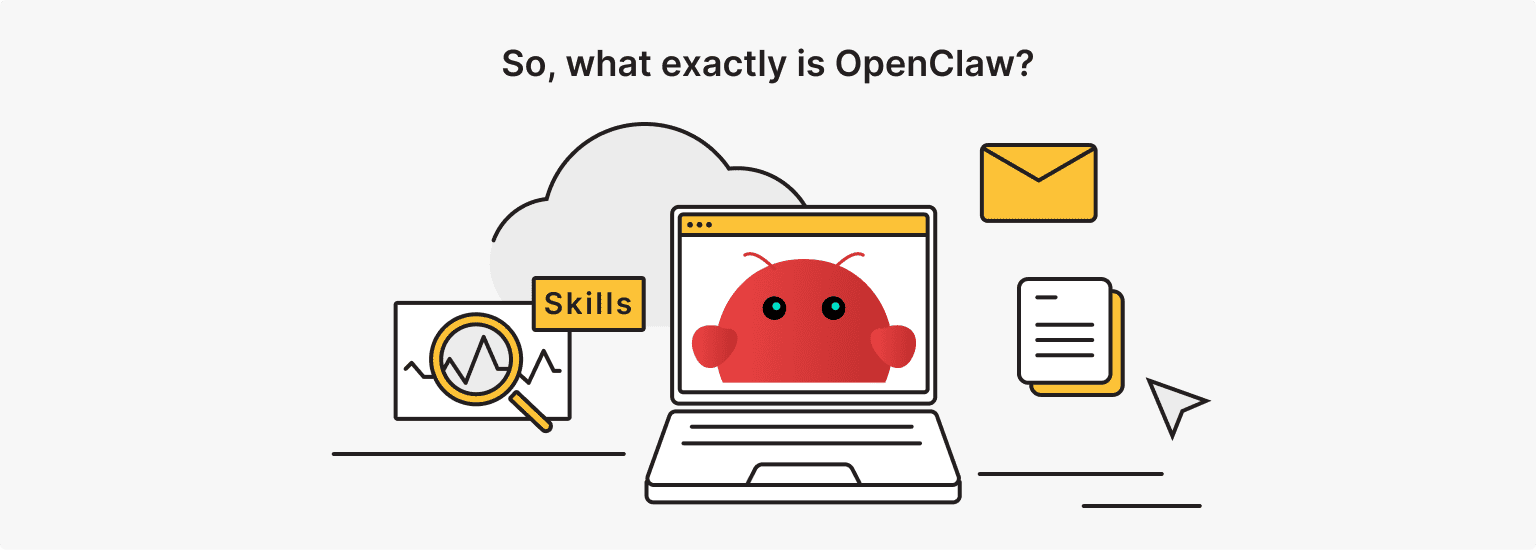
OpenClaw is a self-hosted, open-source personal AI assistant you talk to through everyday messaging apps, built by Austrian developer Peter Steinberger. It is aimed at people who want a capable assistant running on their own hardware instead of a cloud service, and it grew fast: released in late 2025 (first as Clawdbot, then Moltbot), it passed 345,000 GitHub stars by mid-2026, which briefly made it the most-starred software repo on GitHub.
If you want the widest set of plug-in integrations and the easiest path to an assistant on Telegram or WhatsApp, OpenClaw is the natural starting point.
How it actually works
You install OpenClaw, connect it to an LLM (Claude, GPT, Gemini, DeepSeek, your call), and give it access to your messaging accounts. From then on, you just message it, and it acts. It can read your mail, create GitHub issues, set reminders, order things, and run commands on the box it lives on. Steinberger later joined OpenAI and handed the project to an independent open-source foundation, so it keeps shipping weekly without a single vendor behind it.
The engine behind all of this is skills. A skill is a small markdown package that teaches the agent one task, like managing a GitHub repo or posting to Slack. You install the ones you need and the agent calls them when a request fits. That is the whole idea, and it is why the OpenClaw vs Hermes Agent question so often comes down to plugins versus self-learning.
Say you want to watch a shared inbox for invoices, pull out the payment details, check the status in Stripe, log it in a Notion database, and drop a note in Slack for the finance team. Wiring that up from scratch means handling auth tokens and every odd JSON error along the way. With OpenClaw, you connect the relevant skills, hand it your API keys, set a couple of rules, and let it move the data from one step to the next. The appeal is that you rarely write glue code. Someone in the community usually already did.
If you would rather skip the manual setup, is*hosting already offers ready-made server configurations for OpenClaw, so you can spin up a box with the agent preinstalled instead of wiring Docker yourself.
What is Hermes Agent?
Hermes Agent is a self-hosted, open-source AI agent from Nous Research that learns from every session, writes its own reusable skills, and keeps a memory of your projects across time. It is built for developers, researchers, and power users who want an agent that gets better the more they use it, not one that starts fresh every conversation. Launched in early 2026, it crossed 180,000 GitHub stars within months and kept climbing past 200,000 by mid-2026, from the same lab known for the Hermes family of open models. If persistent memory matters more to you than a huge plugin catalog, Hermes is the one to try.
The learning loop
Most agents run the skills you hand them. Hermes watches what you ask, and when it notices a repeated multi-step task, it encodes that pattern as a new skill and stores it as a plain markdown file on your machine. Next time, the skill is already there.
It also carries memory forward: the docs describe cross-session recall with summarization plus a user model that deepens over time. And like OpenClaw, it reaches you across 20-plus platforms from one gateway, so it is a real assistant, not just a coding tool.
Under the hood, it runs a loop that looks a lot like how a careful engineer works. It looks at the current state of your files or terminal, forms a plan, makes the change, then reads what happened, a failing test, a compiler error, a wrong result, and revises before it comes back to you.
Take the daily digest example: ask Hermes a few days running to pull open GitHub issues, format them, and send them to Slack, and it will notice the pattern and save it as a reusable skill. After that, the digest runs on its own. You did not install anything. It learned the job by doing it.
When ordering a VPS from is*hosting, you can pick an Ubuntu 24 image with Hermes preinstalled — so you skip installing the agent yourself and only need to configure it (connect a model and a messaging app), which this step-by-step guide walks you through.
The core difference: gateway vs learning loop
The real gap is emphasis, not category. Both tools are self-hosted messaging assistants that run locally with deep system access. OpenClaw leans on a massive community marketplace, while Hermes leans on a self-improving memory loop that rewrites its own skills after a task.
This matters the moment you install one, because you are choosing what the tool is good at by default. Hermes is often described as the common upgrade path from OpenClaw, and it ships a migrate command for exactly that move. So any honest Hermes Agent vs OpenClaw comparison starts by admitting they overlap, then asks where you want your effort to go.
Here is the OpenClaw Hermes Agent split across the four things people usually check:
|
Pillar |
OpenClaw |
Hermes Agent |
|
Execution model |
Runs your requests through installed skills, reacting to messages and triggers |
Plans, acts, checks the outcome, and adjusts itself before reporting back |
|
Tooling and integrations |
Thousands of community skills from ClawHub, plus built-in chat channels |
A small built-in core (terminal, browser, files, local database) that it extends by writing new skills |
|
Setup and deployment |
Docker install in roughly 15 to 30 minutes, or a one-click hosted option |
One-line installer or a hosted option in about a minute; a full self-hosted memory setup takes longer |
|
Memory and persistence |
Remembers preferences and projects across chats |
Actively summarizes and prunes its memory as it learns |
In the table, the OpenClaw column (on the left) represents breadth, while the Hermes Agent column (on the right) represents depth. Neither approach is “better” — they are simply built to solve different problems.
Memory systems compared
For a one-off task, memory barely matters; for a project that runs for weeks, it decides whether the agent stays useful. Both tools keep memory across sessions, so the real question is how actively each one manages it:
- OpenClaw remembers your preferences, projects, and people from one chat to the next.
- Hermes goes further, summarizing and pruning that memory over time so old instructions do not sit next to new ones and confuse the agent.
Nous Research reports an internal benchmark where agents with 20 or more self-created skills finish similar tasks about 40% faster (that is 40% less time and token use, not 40% better output). If your work spans months, Hermes is the safer bet; if each job is self-contained, OpenClaw’s memory is plenty.
Why does long-term memory drift matter at all?
Plain retrieval finds past text that looks similar to your prompt and pastes it into the window. That works early on. Over months, it gets messy: outdated notes, filler chatter, and a database so large that the right snippet gets buried.
Picture a coding style you changed back in March. Six months later, a plain retrieval system can still surface the old rule right next to the new one, and the agent has no way to know which is current. Hermes tries to fix this the way human memory does, by pruning stale facts and folding key points into a running summary during idle time. You give up some raw recall, and you get a cleaner context in return. For a weekend script that difference is invisible. For a project you have carried since spring, it is the whole game.
VPS
Whichever agent you pick, it needs a box that never sleeps. is*hosting VPS ships Ubuntu 24 images with OpenClaw or Hermes preinstalled, dedicated IP included, in 40+ locations.
Skills and ecosystem
OpenClaw wins on sheer volume, Hermes wins on self-sufficiency.
If you need a ready-made connector for some niche CRM or a marketing tool nobody else uses, an OpenClaw skill probably already exists on ClawHub, the public marketplace that listed over 2,857 community skills in early 2026 and keeps growing (the count swings as unsafe and abandoned ones get pruned). Hermes takes the opposite route: it ships only about 40 built-in skills and writes the rest itself as it works.
In a Hermes Agent OpenClaw comparison of the two skill systems, the question is whether you want to browse an app store or hand the agent a browser and let it build the integration.
That built-in core is smaller than it sounds because each piece is general-purpose:
- Terminal and shell, with timeouts and permission limits, for running scripts and builds
- A headless browser for reading docs and clicking through web UIs
- File and code editing that understands syntax across common languages
- Local database access for queries and vector stores
When Hermes hits a service it has no skill for, it reads the API docs in its browser, writes an integration script in its sandbox, runs it, and fixes its own errors. That is the trade: fewer prebuilt options, more figure-it-out-yourself.
The catch on the OpenClaw side is quality. A marketplace that big holds everything from production-grade tools to weekend projects that break when an API changes, and telling them apart takes work. A skill that was solid last month can stop working when a service updates its API, and when a pipeline chains several of them, tracing the broken link eats real time. The upside is obvious: for most tasks, the install is one command, and you are done. The downside is that you inherit whatever the author did or did not maintain.
Security
By default, Hermes carries the smaller attack surface, mostly because its skills are curated and its execution is sandboxed, while OpenClaw’s main exposure has come from its open marketplace and one serious flaw in its own code.
Both agents need terminal access, file permissions, and API keys to be useful, so a bad skill or a stolen token can hand an attacker your whole machine. Two real events from 2026 show what that looks like, and correct a common mix-up about which risk was which:
First, the core flaw. CVE-2026-25253 was a critical one-click remote code execution bug (CVSS 8.8) in OpenClaw itself, not in a third-party plugin. The Control UI trusted a gatewayUrl value from the URL and auto-connected to it, leaking the stored gateway token over a WebSocket. Click a crafted link while OpenClaw was running, and an attacker could take over. It was disclosed in early February 2026 and patched in version 2026.1.29, so the fix is to update and rotate your token.
Second, the marketplace. This is the real supply-chain story, and it is the one the security debate should point to. In an audit of 2,857 ClawHub skills, Koi Security found 341 malicious ones, 335 of them from a single campaign now called ClawHavoc, most delivering an infostealer that grabbed credentials and crypto wallets. The campaign later grew past 1,000 poisoned skills, and Palo Alto’s Unit 42 documented new ones slipping past automated scans. None of this means OpenClaw is unusable, but it does mean the open marketplace is where the danger lives.
Hermes was designed to shrink that surface. It runs generated code inside Docker or WASM sandboxes, lets you scope access to specific folders, domains, and commands, and can require your approval before touching anything sensitive. On the OpenClaw vs Hermes Agent security question, Hermes is safer out of the box.
On OpenClaw, you can get close, but you have to do the work:
- Keep it on the latest release. Install skills only from publishers you trust, and read the SKILL.md before you run it.
- Run a scanner against anything new (the community built tools like Clawdex and Skill Vetter after ClawHavoc for exactly this).
- Give each skill the narrowest file and network access it needs, store keys in a secrets manager, and rotate them.
- Turn off automatic skill updates so a clean skill cannot be swapped for a poisoned one behind your back.
None of this is exotic, but it is on you, not the tool.
Who should choose what?
- Pick OpenClaw for broad multi-app automation with almost no setup.
- Pick Hermes Agent for deep, memory-heavy work you want an agent to own over time.
The single best predictor of a good choice is your main bottleneck (not a feature list). If you are stitching together Slack, Jira, HubSpot, and Stripe, breadth wins. If you are living inside one codebase for weeks and want the agent to remember your decisions and write its own helpers, depth wins. Sorting out Hermes Agent vs OpenClaw 2026 by use case is really just naming that bottleneck honestly.
Choose OpenClaw if:
- You want the widest set of ready-made integrations and a large community behind them
- You want an assistant on Telegram, Discord, WhatsApp, or Slack with minimal setup
- Your tasks are mostly one-off automations that do not need long memory
- You would rather install a skill than write one
Choose Hermes Agent if:
- You work across long projects and want the agent to remember context and decisions
- You want it to build and improve its own tools instead of hunting for plugins
- You care about a smaller, sandboxed attack surface by default
- You are fine spending extra time configuring memory, backends, and permissions
Two quick portraits:
- A growth engineer who spends the day moving data between Slack, a CRM, and a billing tool wants OpenClaw: the connectors exist, setup is short, and nothing needs to remember last Tuesday.
- A backend developer refactoring one large service over a month wants Hermes: the value is in an agent that recalls the decisions already made and writes its own helpers as the work goes on. Same two tools, two different jobs.
Can you use both?
Yes, but because they overlap so heavily, most people end up on one. Running two personal assistants that reach the same chat apps and touch the same files usually adds confusion, not power — “both” makes sense only when you split the work cleanly.
If you have the compute and a real reason, the sensible split is to let OpenClaw handle broad, plug-and-play automation on some channels while Hermes owns the long-running, memory-heavy project work on your dev machine. This is the point where the OpenClaw vs Hermes Agent comparison 2026 stops being a strict either-or.
A concrete split could look like this:
- OpenClaw sits at the front, catching webhooks and messages from the outside world, handling the auth, and cleaning up the incoming data.
- Anything that needs real thinking, a code change, a judgment call, a task that draws on months of context, it passes to Hermes, which works in its sandbox and sends the result back for OpenClaw to post to Slack or file as a ticket.
One tool does reach, the other does depth. The cost is that you now run and secure two systems instead of one, which is exactly why this setup is for teams with the resources to babysit it.
The more common “both,” in practice, is a timeline rather than a pairing. Plenty of people start on OpenClaw for the fast setup and the big skill library, then move to Hermes once they want persistent memory, and Hermes makes that easy with its built-in migrate path.
Either way, start with the tool that fits your main job today. You can always grow into the second one later.
Dedicated GPU Server
Get raw computing power with GPU acceleration — perfect for AI, ML, and rendering workloads.
From $91.67/mo